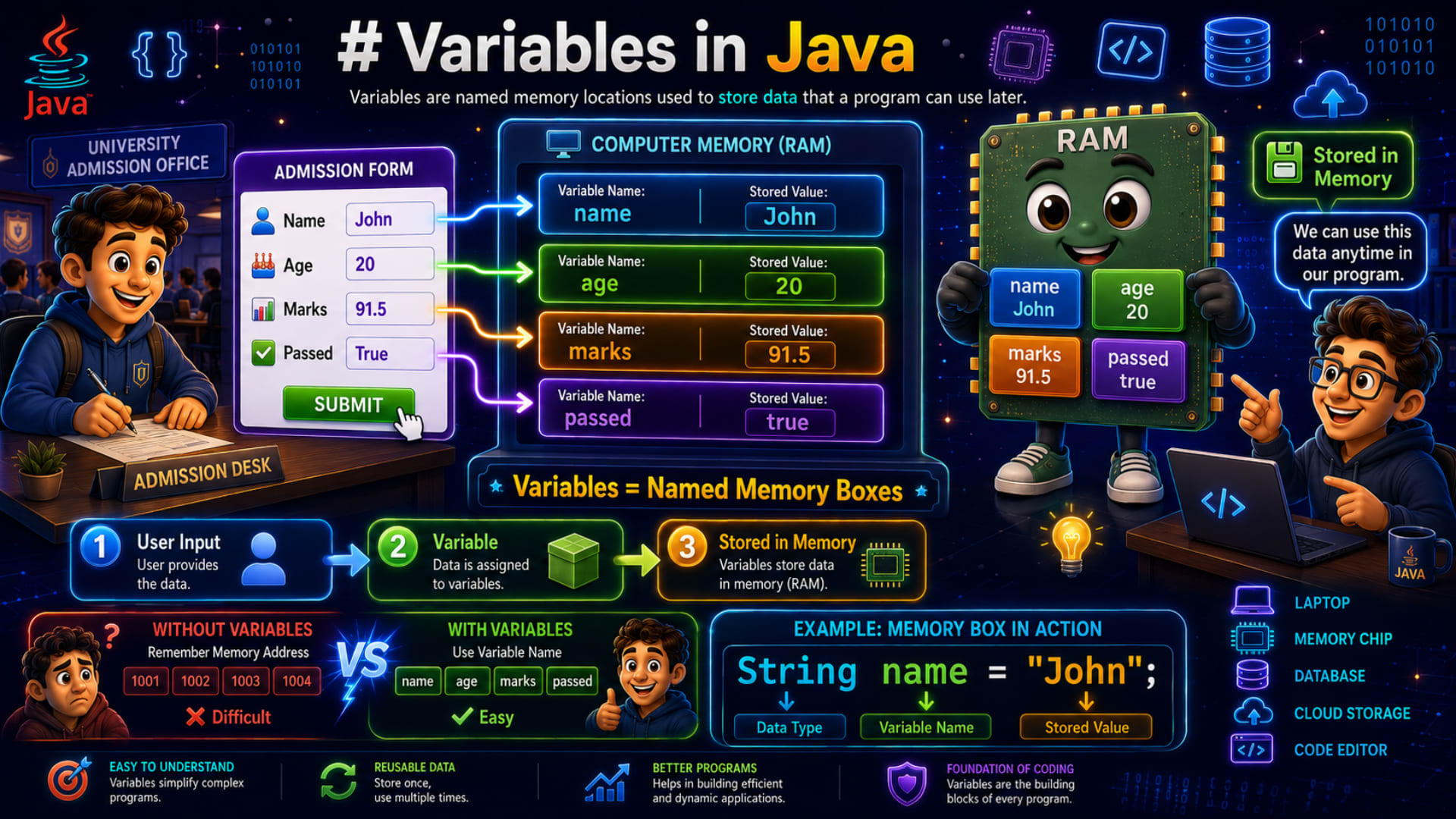
While writing a program, we often need to store some information and use it later. For example, a student's age, a person's name, the price of a product, or the score of a game. In Java, we use variables to store this kind of data.
You can think of a variable as a named container that holds a value. The name helps us identify the container, and the value is the actual data stored inside it.
For example, if we want to store a student's age, we can write:
int age = 20;
Here, age is the variable and 20 is the value stored in it.
Later, whenever we use age, Java knows that we are talking about the value 20.
Creating a Variable
A Java variable generally looks like this:
dataType variableName = value;
For example:
int age = 20;
There are three important parts here. int tells Java what type of data we want to store, age is the name we have given to the variable, and 20 is the value we want to store.
We can create variables for different kinds of information:
int age = 20;
double price = 99.99;
char grade = 'A';
boolean isStudent = true;
String name = "Imran";
Don't worry too much about the different data types yet. We will study them separately. For now, just understand that different variables can store different types of values.
Changing the Value of a Variable
One useful thing about variables is that their values can be changed.
For example:
int age = 20;

age = 21;
Initially, age contains 20. Later, we assign 21 to the same variable, so its value becomes 21.
We can also use the variable in calculations:
int age = 20;

System.out.println(age);
System.out.println(age + 5);
Output:
20
25
Here, Java uses the value stored in age when performing the calculation.
Declaring and Initializing a Variable
There are two terms you will often hear when working with variables: declaration and initialization.
When we tell Java that a variable exists, we are declaring it:
int age;
At this point, we have created the variable, but we haven't assigned a value to it.
When we give the variable its first value, we initialize it:
age = 20;
We can also do both at the same time:
int age = 20;
This is very common in Java.
Variable Names
We need to give every variable a name so that we can use it later.
Good variable names make our code much easier to understand.
For example:
int studentAge = 20;
double productPrice = 499.99;
String studentName = "Rahul";
These names immediately tell us what the variables contain.
Compare that with:
int x = 20;
double p = 499.99;
String s = "Rahul";
This code may work, but it is harder to understand, especially when the program becomes large.
So, try to give your variables meaningful names.
Rules for Naming Variables
Java has some rules that we must follow when naming variables.
A variable name can contain letters, numbers, _, and $, but it cannot start with a number.
For example:
int age2 = 20;      // Valid
int student_age = 20; // Valid
But:
int 2age = 20; // Invalid
A variable name also cannot be a Java keyword. For example, class, int, and public are keywords used by Java, so we cannot use them as variable names.
Java is also case-sensitive. That means these are considered different variables:
int age = 20;
int Age = 25;
age and Age are not the same variable.
A Simple Example
Let's put everything together:
class Main {
    public static void main(String[] args) {

        String name = "John";
        int age = 22;
        double height = 5.8;

        System.out.println(name);
        System.out.println(age);
        System.out.println(height);
    }
}
Here, we have created three variables to store a person's name, age, and height. We can then use those variables whenever we need their values.
The output will be:
John
22
5.8
This is the basic idea behind variables. Instead of writing the actual value everywhere, we give it a name and use that name in our program.
Quick Revision
A variable is a named place used to store a value in a program.
The basic syntax is:
dataType variableName = value;
For example:
int age = 20;
Here, int is the data type, age is the variable name, and 20 is the value.
Remember that a variable's value can change during the execution of a program. Also, always try to use clear and meaningful variable names because good naming makes your code much easier to read and understand.