Understanding Variables in Java: The Admission Form Story
Hey, let's talk about something that trips up almost every beginner when they first hear it — variables. I promise you, by the end of this article, you'll never forget what a variable is. Because instead of throwing definitions at you, I want to walk you through a story you've probably lived through yourself.
Let's Start With Something You've Actually Done
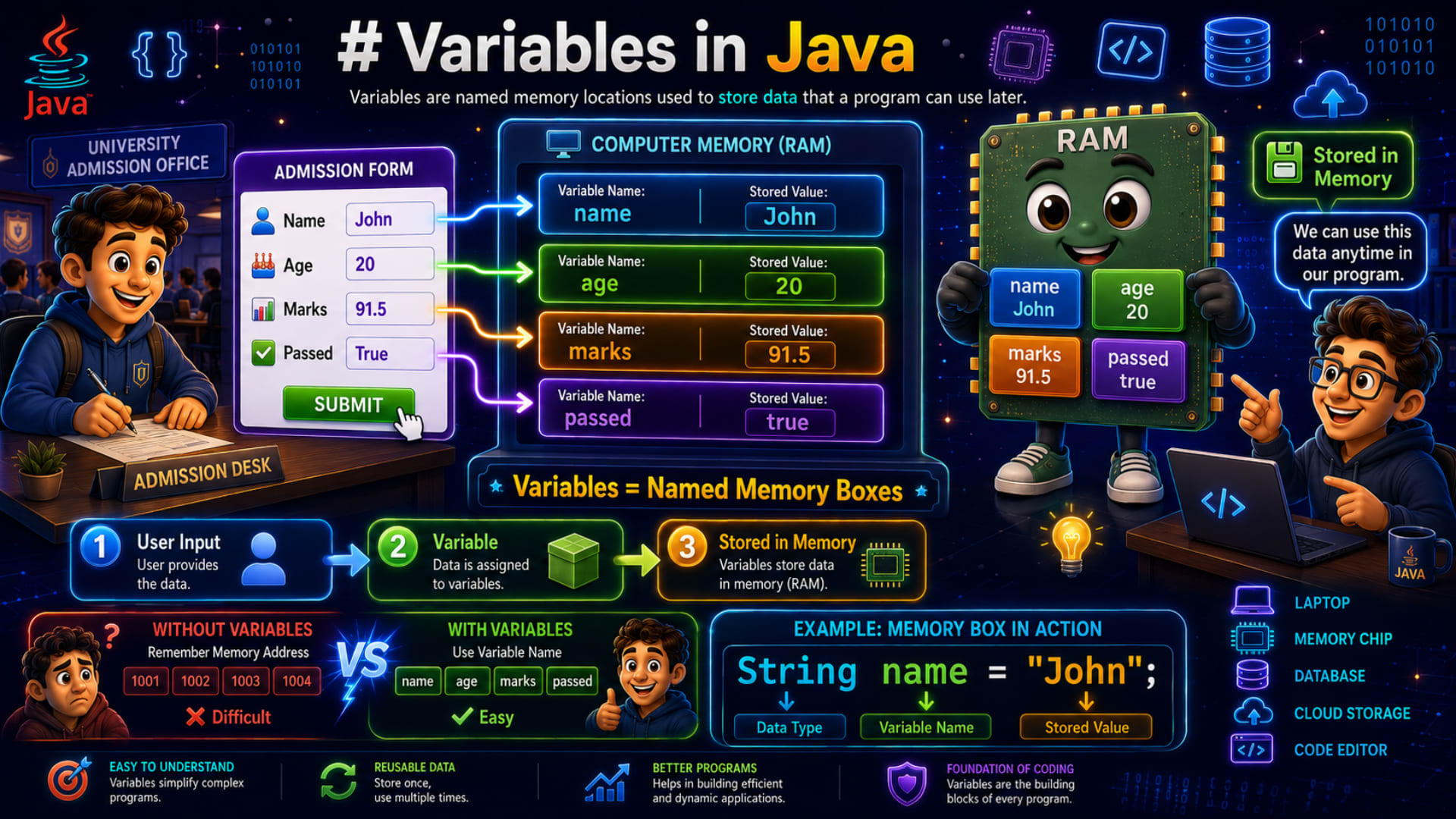
Think back to the last time you filled out a university admission form. Maybe it was online, maybe it was on paper. Either way, the form asked you for a bunch of things:
Your Name
Your Age
Your Marks
Whether you Passed the entrance exam
Now here's something worth noticing — each of these pieces of information is different in nature. Your name is text. Your age is a whole number. Your marks probably have a decimal point, like 91.5. And whether you passed is neither a word nor a number — it's simply a yes or no, a true or false.
You never really stopped to think about it this way before, right? But this small observation is actually the seed of one of the most important ideas in programming.
So What Happens When You Hit "Submit"?
The moment you click that submit button, the computer doesn't just look at your information and forget it. It takes each piece of data and stores it somewhere in its memory and very carefully, and separately.
Picture four little boxes sitting inside the computer's memory. One box holds your name. Another holds your age. A third holds your marks. And the last one holds whether you passed or not.
These boxes have a name in programming. We call them variables.
What Exactly Is a Variable?
Here's the simplest way I can put it: a variable is a labeled storage box inside the computer's memory.
And just like any box you'd label in real life — "Kitchen Utensils," "Winter Clothes," "Old Photos" — a variable needs a label too, so the computer (and you) know exactly where to go looking for that information later.
So for our admission form:
The name variable stores the student's name
The age variable stores the student's age
The marks variable stores the student's marks
The passed variable stores either
trueorfalse
Here's the beautiful part. Without variables, a programmer would have to remember something horrible — raw memory addresses. Something like 0x7ff12ab0. Try remembering that instead of just saying age. Not fun, right?
Variables save us from that nightmare. Instead of memory addresses, we just use friendly names. Need the student's name? Just say name. Need the marks? Just say marks. Simple.
So let's lock in the definition:
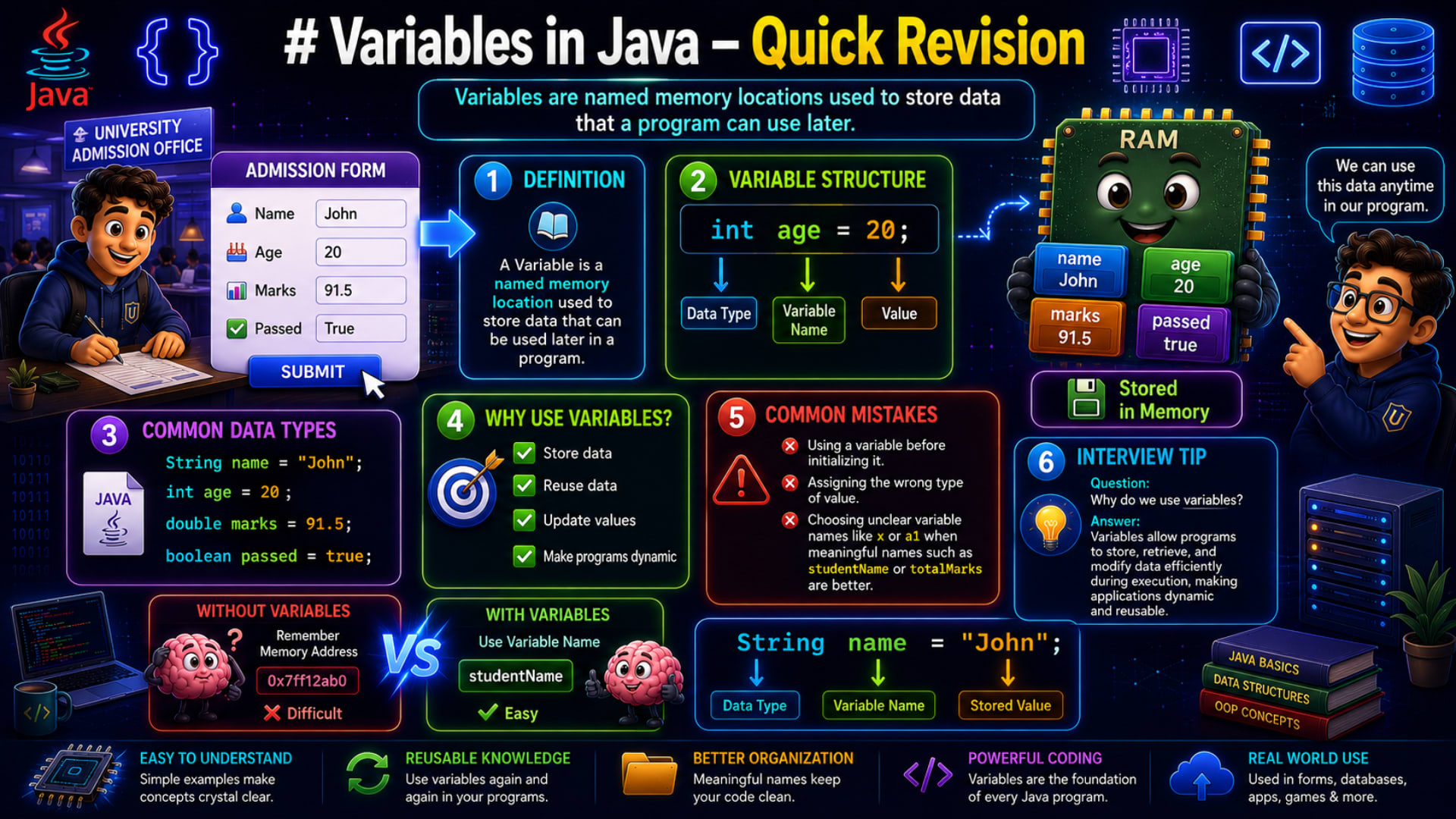
A variable is a named memory location used to store data that can be used later in a program.
Read that again. Named. Memory location. Stores data. Used later. Every single word in that sentence matters, and now you know exactly why.
Let's Actually Build This in Java
Enough theory — let's write real code and watch this idea come alive.
Step 1: Creating the Variables
public class Main {
    public static void main(String[] args) {
        String name = "John";
        int age = 20;
        double marks = 91.5;
        boolean passed = true;
    }
}
Take a moment and look closely at any one of these lines. Let's zoom into this one:
int age = 20;Every variable you'll ever create in Java has exactly three parts:
Data Type —
int, telling Java "this will be a whole number"Variable Name —
age, the label on our memory boxValue —
20, the actual data being stored
That's it. That's the whole formula. Data type, name, value — every single time.
And look at how naturally the data types match what we talked about earlier:
Stringfor text, like the name"John"intfor whole numbers, like age20doublefor decimal values, like marks91.5booleanfor true-or-false, like passedtrue
Nothing here is arbitrary. Java simply gives you the right kind of box for the right kind of data.
Step 2: Printing What We Stored
Now let's ask Java to show us what's inside those boxes.
System.out.println(name);
System.out.println(age);
System.out.println(marks);
System.out.println(passed);
Output:
John
20
91.5
true
Notice something interesting here — Java doesn't print the name of the variable. It never shows you the word "age." Instead, it reaches into the box and prints the value sitting inside it. That's the whole point of a variable that the name is just how you refer to it and the value is what actually matters to the program.
Step 3: Here's Where It Gets Interesting — Changing a Value
marks = 95.0;
System.out.println(marks);
Output:
95.0Stop for a second and really sit with this. We didn't create a brand-new box called marks2 or updatedMarks. We used the same box, and simply replaced what was inside it.
This is exactly why they're called variables — because their values can vary, can change, while the program is running. The box stays. Its label stays. Only the content changes.
Step 4: Making Variables Actually Useful
On their own, printed one after another, variables feel a little dry. But watch what happens when we combine them with text:
System.out.println("Student Name : " + name);
System.out.println("Age : " + age);
System.out.println("Marks : " + marks);
System.out.println("Passed : " + passed);
Output:
Student Name : John
Age : 20
Marks : 95.0
Passed : true
Now suddenly it means something. Java takes each variable, quietly swaps in its current value, and stitches it together with the surrounding text to create a meaningful sentence. This is the moment variables stop being an abstract concept and start feeling like a real tool.
Step 5: A Full Update — New Student, Same Boxes
Let's push this idea one step further. Suppose a new student's data needs to go into the very same program.
name = "Alex";
age = 21;
marks = 88.5;
passed = false;

System.out.println(name);
System.out.println(age);
System.out.println(marks);
System.out.println(passed);
Output:
Alex
21
88.5
false
Look at what just happened. We didn't rebuild anything. We didn't declare String name2 or int age2. We reused the exact same variables and simply poured new values into them.
This is the real power hiding underneath that simple definition — we don't need to create new variables every time the data changes. The same box can be emptied and refilled, again and again, for as long as the program runs.
Try It Yourself
Before you move on, here's a small exercise to make this idea stick. Try creating variables for a new scenario — a student's college record:
String collegeName
int semester
double cgpa
boolean feePaid
Assign each one a value, then print all four. Watch how naturally the same pattern — data type, name, value — repeats itself, no matter what real-world thing you're describing.
Bringing It All Together
Let's rewind back to where we started — that admission form. A name, an age, some marks, a pass status. Four different types of information, four different memory boxes, four variables.
Every time you update a student's record, the variable names stay exactly the same — name, age, marks, passed. Only the values inside them change. That's not a coincidence because that's the entire definition of a variable, playing out right in front of you.
A variable is a named memory location used to store data that a program can use later. The name stays constant. The value inside it can change whenever required.
And that one idea — a labeled box that can hold, update, and reuse information is one of the most fundamental building blocks in all of programming. Once it clicks, everything else you learn in Java — data types, expressions, objects, even entire databases will feel like a natural extension of this same simple idea.
So the next time you fill out a form online, take a second to picture it: somewhere, quietly, a handful of variables are opening up their boxes and tucking your information safely inside.