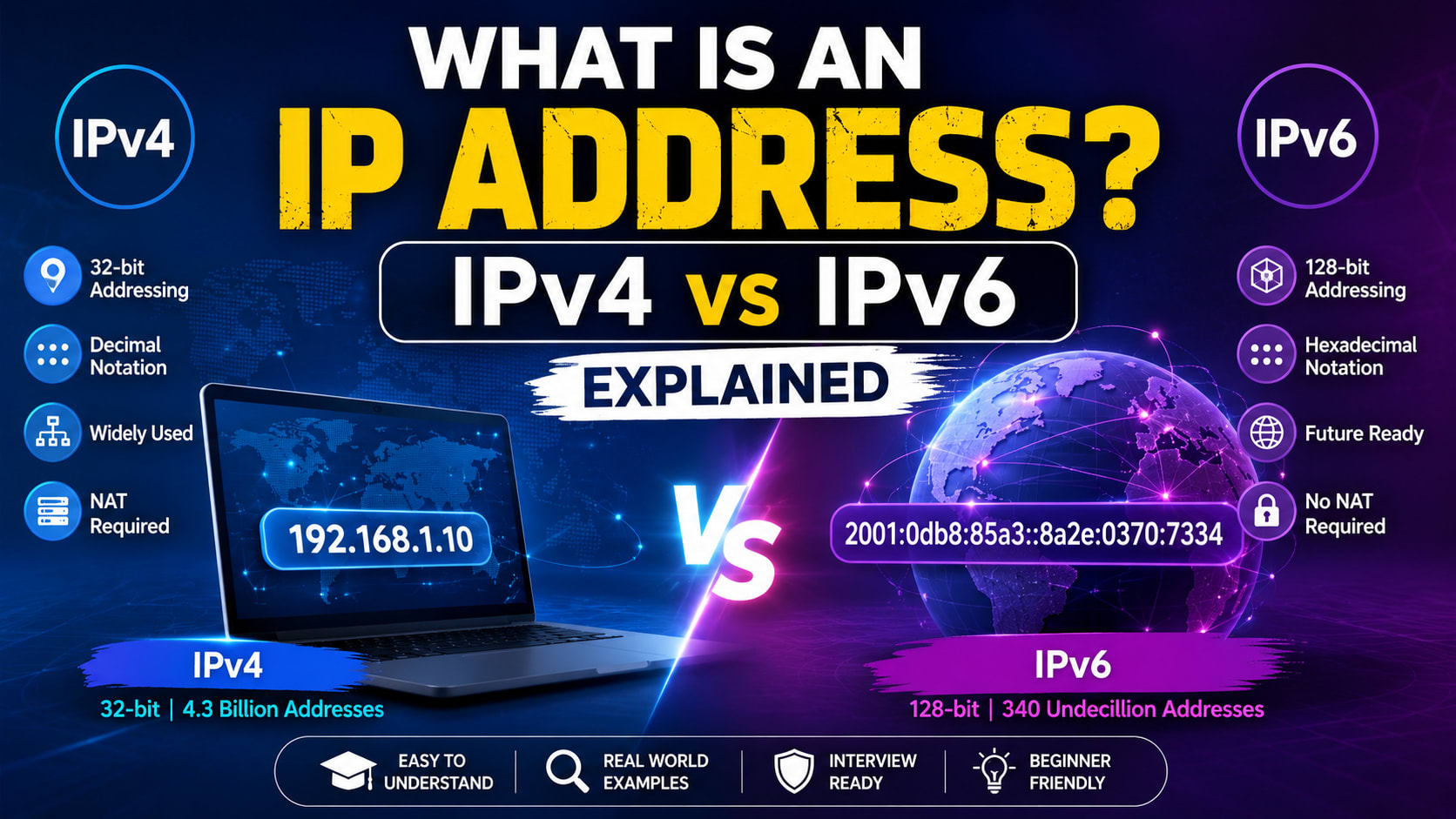
What Is an IP Address? IPv4 vs IPv6 Explained
Whenever you connect your laptop to Wi-Fi, open Google, watch YouTube, play an online game, or send a message through the internet, your device is using an IP address. You may have seen addresses such as 192.168.1.10 and wondered what those numbers actually mean. Is an IP address the same as a MAC address? Why does your phone have a private IP? What is a public IP? And why do we even need IPv6 when IPv4 already exists?
Let's understand all of this from the beginning.
An IP address, short for Internet Protocol address, is a logical address used to identify a network interface and help deliver IP packets across a network. In simple terms, when one device wants to communicate with another device, the network needs an addressing system to determine where the data should go.
Think about sending a parcel. If you simply write your friend's name on the parcel, the delivery company doesn't know where to take it. You need an address. Networking works on a similar idea. Your device needs an IP address, and packets contain source and destination IP information so that routers and other networking devices can move those packets toward their destination.
For example, a laptop connected to your home Wi-Fi might have an IPv4 address such as 192.168.1.25. A server on the internet can have a globally reachable IPv4 or IPv6 address. The exact address can change depending on the network your device is connected to, so an IP address is best understood as a logical network address, not a permanent identity of the physical device.
Why Do We Need an IP Address?
Imagine that ten computers are connected to the same network. Computer A wants to send data to Computer B. Somehow, the network has to distinguish Computer B from the other nine computers.
That's where IP addressing comes in.
When an application sends information over an IP network, the information eventually travels as packets. Those packets contain source and destination addressing information. Routers examine the destination IP address and use their routing information to decide where the packet should go next.
A simplified packet journey looks like this:
Source Device
     ↓
Local Network
     ↓
Router
     ↓
Internet
     ↓
Destination Network
     ↓
Destination Device
The important idea is that the IP address provides the logical addressing information used by IP networking.
However, an IP address is not the only address involved in networking. To really understand this, you should also know about MAC addresses.
IP Address vs MAC Address
This is a very common interview question.
A MAC address operates at the data-link layer and is associated with a network interface. An IP address operates at the network layer and provides logical addressing for IP communication.
For example, a network interface could have a MAC address such as:
3C:52:82:AB:12:90
and an IP address such as:
192.168.1.25
The two addresses serve different purposes.
A MAC address is primarily important for communication on the local network, while an IP address allows packets to be addressed across interconnected IP networks.
Also, don't assume that a MAC address can never change. Modern operating systems, particularly on Wi-Fi networks, can use privacy mechanisms such as randomized MAC addresses.
So, for an interview, remember:
MAC address → Data-link/local network addressing
IP address  → Logical network-layer addressing
IPv4 and IPv6
There are two major versions of the Internet Protocol you need to know:
IPv4 and IPv6.
IPv4 is the older and still extremely widespread version. IPv6 was developed largely because the world needed a much larger address space.
The biggest difference is the size of the address.
IPv4 uses:
32 bits
IPv6 uses:
128 bits
That difference is enormous.
What Is IPv4?
IPv4 stands for Internet Protocol version 4.
An IPv4 address contains 32 bits and is normally written as four decimal numbers separated by dots.
For example:
192.168.1.25
These four parts are called octets because each represents 8 bits.
Therefore:
8 + 8 + 8 + 8 = 32 bits
Each octet can contain a value from 0 to 255.
Why?
Because 8 bits can represent:
2⁸ = 256
different values, ranging from 0 through 255.
So this is valid:
192.168.1.25
but this isn't a valid IPv4 address:
192.168.1.300
because an octet cannot be greater than 255.
In binary, 192.168.1.25 looks like:
11000000.10101000.00000001.00011001
You don't normally write IPv4 addresses this way, but binary becomes very important when you learn subnetting.
How Many IPv4 Addresses Are There?
Because IPv4 has 32 bits, the theoretical address space is:
2³²
which equals:
4,294,967,296
possible IPv4 address values.
At first, more than four billion addresses sounds like plenty. However, the internet has billions of devices, and addresses are needed by networks, servers, infrastructure, and many other systems. Furthermore, some IPv4 addresses are reserved for special purposes.
As the internet grew, IPv4 address exhaustion became a serious problem.
Technologies such as private addressing and NAT helped extend the usefulness of IPv4, while IPv6 provides a vastly larger address space.
IPv4 Address Classes
Now we come to a topic that appears frequently in networking interviews: IPv4 address classes.
Historically, IPv4 used classful addressing. The 32-bit address space was divided into Classes A, B, C, D, and E.
The important thing to understand is that Classes A, B, and C represented different network sizes. Class D was used for multicast, while Class E was reserved for experimental purposes.
Although classful addressing is now largely historical because modern networks use CIDR, interviewers still commonly ask about it.
So let's understand it properly.
Class A
Class A was designed for very large networks.
Its structure was:
Network | Host | Host | Host
   8        8      8      8
So Class A had:
Network bits = 8
Host bits    = 24
Its default subnet mask was:
255.0.0.0
which is:
/8
The historical first-octet range for Class A was 0–127, but 0 and 127 have special purposes. Therefore, the commonly stated usable Class A range is:
1.0.0.0 – 126.255.255.255
The first octet therefore normally falls between:
1 and 126
Class A has 24 host bits:
2²⁴ = 16,777,216
addresses per classful network.
Traditionally, the network address and broadcast address are not assigned to ordinary hosts, giving:
2²⁴ - 2
= 16,777,214
usable host addresses.
So remember:
Class A
First octet: 1–126
Default mask: /8
Network bits: 8
Host bits: 24
Class B
Class B was designed for medium-to-large networks.
Its structure was:
Network | Network | Host | Host
Therefore:
Network bits = 16
Host bits    = 16
The default subnet mask was:
255.255.0.0
or:
/16
The first octet ranged from:
128–191
So the traditional Class B range was:
128.0.0.0 – 191.255.255.255
Class B has 16 host bits:
2¹⁶ = 65,536
total addresses per classful network.
Traditionally, subtracting the network and broadcast addresses gives:
65,536 - 2
= 65,534
usable host addresses.
So:
Class B
First octet: 128–191
Default mask: /16
Network bits: 16
Host bits: 16
Class C
Class C was designed for smaller networks.
Its structure was:
Network | Network | Network | Host
Therefore:
Network bits = 24
Host bits    = 8
Its default subnet mask was:
255.255.255.0
or:
/24
The first octet ranged from:
192–223
Therefore the traditional Class C range was:
192.0.0.0 – 223.255.255.255
Class C has eight host bits:
2⁸ = 256
total addresses.
Traditionally, that gives:
256 - 2 = 254
usable host addresses.
For example:
192.168.1.0/24
traditionally contains:
Network:    192.168.1.0
Usable:     192.168.1.1 – 192.168.1.254
Broadcast:  192.168.1.255
So:
Class C
First octet: 192–223
Default mask: /24
Network bits: 24
Host bits: 8
Class D
Class D is different from Classes A, B, and C.
Class D was designed for multicast.
Its range is:
224.0.0.0 – 239.255.255.255
You don't divide Class D into a traditional network portion and host portion like Class A, B, and C.
Multicast allows traffic to be sent to a group of interested receivers.
For example:
             Receiver A
                 ↑
                 |
Sender → Multicast Group
                 |
                 ↓
             Receiver B
So remember:
Class D → Multicast
Class E
Class E covers:
240.0.0.0 – 255.255.255.255
It was reserved for experimental or future purposes in the traditional classful model.
So:
Class E → Experimental / Reserved
It wasn't designed for ordinary public host addressing.
IPv4 Classes: Interview Cheat Sheet
Here's the table you should be able to recall quickly in an interview:
Class | First Octet | Default Prefix | Network Bits | Host Bits | Purpose |
|---|---|---|---|---|---|
A | 1–126* | /8 | 8 | 24 | Very large networks |
B | 128–191 | /16 | 16 | 16 | Medium/large networks |
C | 192–223 | /24 | 24 | 8 | Smaller networks |
D | 224–239 | — | — | — | Multicast |
E | 240–255 | — | — | — | Experimental/reserved |
* The original Class A first-octet span is 0–127, but 0 has special uses and 127.0.0.0/8 is reserved for loopback.
How to Identify an IP Address Class Quickly
Interviewers sometimes give you an address and ask:
Which class does this IP belong to?
You only need to inspect the first octet under the historical classful system.
For example:
10.20.30.40
The first octet is 10.
10 falls between 1 and 126.
Therefore:
Class A
Now:
172.16.5.10
The first octet is 172.
Therefore:
Class B
And:
192.168.1.20
The first octet is 192.
Therefore:
Class C
Similarly:
230.10.20.30 → Class D
250.1.2.3    → Class E
The shortcut is:
1–126    → A
128–191  → B
192–223  → C
224–239  → D
240–255  → E
Why Do These Ranges Exist?
This is where understanding beats memorization.
The classes were identified using the leading bits of the first octet.
Class A starts with:
0xxxxxxx
which gives a first-octet range of:
0–127
Class B starts with:
10xxxxxx
which gives:
128–191
Class C starts with:
110xxxxx
which gives:
192–223
Class D starts with:
1110xxxx
which gives:
224–239
Class E starts with:
1111xxxx
which gives:
240–255
This explains the exact ranges.
So if an interviewer asks:
Why does Class B start at 128?
you can say:
Class B addresses begin with the binary prefix
10. With the remaining six bits in the first octet, the possible values range from 128 through 191.
That answer shows actual understanding instead of memorization.
Is Classful Addressing Still Used?
This is a very important interview question.
The answer is:
Classful addressing is largely historical. Modern IP networking uses CIDR.
CIDR stands for Classless Inter-Domain Routing.
The problem with classful addressing was that networks came in fixed sizes.
Suppose an organization needed 500 IPv4 addresses.
A Class C network traditionally gave:
254 usable addresses
which wasn't enough.
The next option, Class B, provided:
65,534 usable addresses
which was far more than necessary.
That meant huge amounts of address space could be wasted.
CIDR solved this problem by allowing flexible prefix lengths.
For example:
192.168.1.0/23
contains:
512 total addresses
which is much closer to what an organization needing around 500 addresses might require.
Therefore:
Classful addressing
        ↓
Fixed network sizes
        ↓
Address wastage
        ↓
CIDR
        ↓
Flexible network prefixes
This is why you should know IP classes for interviews but use CIDR and prefix lengths when discussing modern networking.
Class vs Private/Public IP Address
Don't mix these concepts.
An address can fall within a historical class range while also being private.
For example:
192.168.1.10
Historically, its first octet puts it in the Class C range.
But it is also a private IPv4 address.
These are two different classifications.
The private IPv4 ranges are:
10.0.0.0/8
172.16.0.0/12
192.168.0.0/16
So:
10.0.0.1
is historically within the Class A range, but it is specifically part of the private address space.
Likewise:
192.168.1.10
is historically within the Class C range and is also private.
This distinction is frequently tested in interviews.
What Is a Private IP Address?
A private IP address is intended for use inside private networks.
For example, your home network might contain:
Phone      → 192.168.1.10
Laptop     → 192.168.1.11
Smart TV   → 192.168.1.12
Printer    → 192.168.1.13
These devices can communicate with each other using private addresses.
However, private addresses are not globally routable across the public internet.
Instead, your router can use NAT to allow these devices to communicate externally.
What Is a Public IP Address?
A public IP address is globally usable for IP communication on the public internet, subject to routing and security policies.
Your ISP provides public connectivity to your network.
For example:
Private network
192.168.1.0/24
       ↓
     Router
       ↓
Public IPv4/IPv6 connectivity
       ↓
Internet
A public IP identifies a globally reachable network endpoint or interface, although the exact architecture can vary significantly between ISPs and networks.
What Is NAT?
NAT, or Network Address Translation, allows a device such as a router or firewall to translate addresses between different addressing domains.
Suppose your laptop has:
192.168.1.20
That is a private address.
When it accesses the internet through a typical IPv4 home router, the router can translate the traffic so that it uses the public IPv4 address of the connection.
Conceptually:
Laptop
192.168.1.20
     ↓
Router / NAT
     ↓
Public IPv4
     ↓
Internet
NAT became extremely important for IPv4 because many private devices can share public IPv4 addressing.
What Is a Subnet Mask?
Now let's move from classes into subnetting.
Suppose you have:
192.168.1.25
How does your computer know which part identifies the network and which part identifies the host?
The subnet mask provides that information in IPv4.
For example:
IP address:
192.168.1.25

Subnet mask:
255.255.255.0
The subnet mask corresponds to:
/24
That means the first 24 bits represent the network prefix.
Therefore:
192.168.1.0/24
represents the network.
The /24 is more important in modern networking than saying “this is Class C.”
Why?
Because modern CIDR allows many different prefix lengths.
What Does /24 Mean?
IPv4 contains 32 bits.
So:
/24
means:
24 network/prefix bits
8 remaining bits
The remaining 8 bits provide:
2⁸ = 256
total addresses.
For a traditional ordinary IPv4 subnet:
256 - 2 = 254
usable host addresses.
Similarly:
/16
provides:
2¹⁶ = 65,536
addresses.
And:
/8
provides:
2²⁴
addresses in the host portion.
Understanding powers of two is essential for subnetting interviews.
What Is a Default Gateway?
Suppose your laptop has:
IP:
192.168.1.25

Subnet:
192.168.1.0/24

Default gateway:
192.168.1.1
Your laptop can directly communicate with another device such as:
192.168.1.50
because it belongs to the same subnet.
But suppose it wants to communicate with:
8.8.8.8
That destination is outside the local subnet.
So the laptop sends the traffic to its default gateway, normally the local router.
Laptop
   ↓
192.168.1.1
   ↓
Router
   ↓
Internet
The default gateway is therefore the next-hop router a host generally uses when it doesn't have a more specific route for the destination.
What Is DHCP?
Now another question:
Who gives your laptop its IP address?
Usually, DHCP.
DHCP stands for:
Dynamic Host Configuration Protocol
A DHCP server can provide information such as:
IP address
Subnet mask
Default gateway
DNS servers
Lease information
Your home router commonly acts as the DHCP server.
A simplified DHCP process is remembered as:
DORA

Discover
Offer
Request
Acknowledge
This allows devices to obtain network configuration automatically instead of manually entering everything.
Static vs Dynamic IP Address
A dynamic IP address is generally assigned automatically, often through DHCP.
A static IP configuration is deliberately configured to remain predictable.
For example, a server might use a fixed address because other systems need to connect to it consistently.
Your laptop, on the other hand, will usually obtain its local network configuration dynamically.
One important detail is that a DHCP-assigned address is associated with a lease. It can be renewed and can potentially change.
What Is DNS?
Suppose you want to visit:
google.com
Would you want to memorize a numerical IP address every time?
Of course not.
That's where DNS, or Domain Name System, comes in.
DNS translates domain names into IP addresses and can provide many other types of DNS records.
The simplified process is:
google.com
     ↓
DNS lookup
     ↓
IP address
     ↓
Network connection
So DNS is essentially the naming system that allows humans to use memorable domain names while networks can still use IP addressing.
What Happens When You Open a Website?
Let's put everything together.
Suppose your laptop is connected to Wi-Fi.
It might have:
IP address:
192.168.1.25

Subnet:
192.168.1.0/24

Default gateway:
192.168.1.1

DNS server:
Configured through your network
Now you type:
https://example.com
into your browser.
First, your device needs to resolve the domain name.
DNS resolution provides one or more IP addresses for the domain.
Next, your computer determines whether the destination is directly reachable on the local network.
It isn't, so the traffic is sent toward the default gateway.
Your router forwards the traffic toward the destination. If IPv4 NAT is being used, it may translate the private source address into a public-side address and keep track of the connection.
Multiple routers can then forward packets across different networks until the traffic reaches the destination network.
The server responds, and the response travels back through the network.
Eventually, your computer receives the response and your browser displays the webpage.
All of this happens incredibly quickly.
What Is IPv6?
Now let's solve the biggest limitation of IPv4.
IPv6 stands for:
Internet Protocol version 6
IPv6 uses 128-bit addresses.
Compare that with IPv4:
IPv4 → 32 bits
IPv6 → 128 bits
The IPv6 address space contains:
2¹²⁸
possible addresses.
That's approximately:
3.4 × 10³⁸
possible address values.
This enormous address space was designed to provide a scalable addressing system for the growing internet.
What Does an IPv6 Address Look Like?
IPv6 uses hexadecimal notation.
For example:
2001:0db8:85a3:0000:0000:8a2e:0370:7334
An IPv6 address contains eight groups.
Each group contains 16 bits.
Therefore:
8 × 16 = 128 bits
Hexadecimal makes the 128-bit address much more manageable to write.
IPv6 Address Shortening
IPv6 addresses can be shortened.
Leading zeroes inside a group can be removed.
For example:
2001:0db8:0001:0000:0000:0000:0000:0001
can become:
2001:db8:1:0:0:0:0:1
A consecutive sequence of zero groups can then be represented using :::
2001:db8:1::1
However, you can use :: only once in an IPv6 address.
Otherwise, there would be no way to determine how many zero groups were removed.
IPv6 Does Not Use Broadcast
This is another important IPv4 vs IPv6 difference.
IPv4 supports broadcast.
IPv6 does not use broadcast.
Instead, IPv6 uses mechanisms such as:
Multicast
Anycast
Neighbor Discovery
for functionality that doesn't rely on IPv4-style broadcast.
This is one reason IPv6 is not simply “IPv4 with bigger addresses.” It also changes several networking mechanisms.
IPv6 and Subnet Prefixes
IPv6 also uses prefix lengths.
For example:
2001:db8:1234:5678::/64
The /64 indicates that the first 64 bits form the network prefix.
A /64 is extremely common for IPv6 subnets.
IPv6's huge address space makes it practical to allocate large, structured address blocks to networks.
How Does IPv6 Address Configuration Work?
IPv6 can use multiple address configuration mechanisms.
Two important ones are:
SLAAC — Stateless Address Autoconfiguration
and
DHCPv6 — Dynamic Host Configuration Protocol for IPv6
With SLAAC, a host can use information advertised by IPv6 routers to configure an address.
IPv6 also uses Neighbor Discovery Protocol (NDP).
NDP handles several functions that are related to functions performed by ARP in IPv4, while also supporting other IPv6-specific operations.
IPv4 vs IPv6
Now let's compare them directly.
Feature | IPv4 | IPv6 |
|---|---|---|
Address size | 32 bits | 128 bits |
Example |
|
|
Notation | Decimal | Hexadecimal |
Address space | 2³² | 2¹²⁸ |
Broadcast | Supported | Not used |
Multicast | Supported | Supported |
Address configuration | DHCP/manual | SLAAC/DHCPv6/manual |
Neighbor/address resolution | ARP | NDP |
NAT | Very common | Not required for address conservation |
Fragmentation | Hosts and routers can fragment | Routers do not fragment packets |
Header | Variable length | Fixed base header |
The most obvious difference is the address size, but IPv6 also changes addressing, neighbor discovery, multicast behavior, fragmentation, and other parts of IP networking.
Is IPv6 Faster Than IPv4?
Not automatically.
Simply using IPv6 doesn't guarantee faster internet.
Performance depends on factors such as:
Network routing
ISP infrastructure
Server location
Congestion
DNS behavior
Wi-Fi or mobile network quality
Network hardware
Protocol implementation
The actual IPv4 and IPv6 paths available
IPv6 primarily addresses scalability and addressing limitations. It isn't simply a “faster version” of IPv4.
Can IPv4 and IPv6 Work Together?
Yes.
Many networks use dual stack, meaning devices and networks support both protocols.
For example, a device could have:
IPv4:
192.168.1.20

IPv6:
2001:db8:1234:5678::20
Applications can use IPv4 or IPv6 depending on network and destination support.
There are also transition mechanisms that help IPv4 and IPv6 coexist while networks migrate toward IPv6.
Why Haven't We Completely Replaced IPv4?
Because the internet is enormous.
Replacing every router, server, application, network appliance, enterprise system, ISP infrastructure component, and embedded device isn't practical overnight.
Many organizations also have legacy systems that still depend on IPv4.
Therefore, IPv4 and IPv6 continue to coexist.
IPv6 solves the address-space problem, but the transition requires infrastructure changes and long-term planning.
Important IPv4 Addresses for Interviews
There are several special IPv4 ranges worth knowing.
Loopback
The most famous loopback address is:
127.0.0.1
It refers back to the local host.
The entire loopback block is:
127.0.0.0/8
This is why developers frequently run local servers at:
http://127.0.0.1:3000
or:
http://localhost:3000
Private IPv4 Addresses
Remember these three blocks:
10.0.0.0/8
172.16.0.0/12
192.168.0.0/16
These are the standard private IPv4 ranges.
Link-Local IPv4
IPv4 also has:
169.254.0.0/16
for link-local addressing.
You may encounter an address from this range when a device cannot obtain an IPv4 address through its normal configuration mechanism.
Important IPv6 Addresses for Interviews
IPv6 Loopback
IPv6 uses:
::1
So:
IPv4 → 127.0.0.1
IPv6 → ::1
Both represent loopback.
IPv6 Unspecified Address
IPv6 also has:
::
which represents the unspecified address.
IPv6 Link-Local
IPv6 link-local addresses use:
fe80::/10
These are used for communication on the local link.
IP Address vs Port Number
This is especially important for programmers.
Suppose you see:
192.168.1.20:8080
The IP address is:
192.168.1.20
The port is:
8080
They are not the same thing.
The IP address identifies the network destination.
The port identifies a particular service or endpoint on that host.
That's why the same computer can have:
192.168.1.20:80
192.168.1.20:443
192.168.1.20:8080
representing different services.
As a developer, you'll constantly see this combination in local development, APIs, web servers, databases, and cloud infrastructure.
Can Two Devices Have the Same IP Address?
Two devices on the same network generally cannot simultaneously use the same IP address without causing an address conflict.
However, the same private IP can exist on completely separate networks.
For example:
Home A:
192.168.1.10

Home B:
192.168.1.10
There is no problem because these are different private networks.
This is one reason private address ranges are reusable.
Does a Device Have Only One IP Address?
No.
A device can have multiple network interfaces and multiple IP addresses.
For example, a smartphone could have:
Wi-Fi IPv4
Wi-Fi IPv6
Mobile IPv4
Mobile IPv6
depending on its network environment.
An IPv6-enabled interface can also have multiple IPv6 addresses for different purposes.
So don't memorize:
One device = one IP
because that isn't generally true.
A better mental model is:
Network interface → one or more addresses
Does an IP Address Reveal Your Exact Location?
An IP address can sometimes provide approximate geographic information, but it does not normally give a website your exact physical home address.
The address seen by a website may represent:
Your ISP
A mobile carrier
A corporate network
A VPN
A proxy
A NAT gateway
A cloud infrastructure endpoint
Therefore:
IP address ≠ exact physical location
What Is Carrier-Grade NAT?
You may also hear about CGNAT, or Carrier-Grade NAT.
Your home router can already perform NAT:
Your device
     ↓
Home router
     ↓
Internet
With CGNAT, your ISP can perform another level of address translation:
Your device
     ↓
Home router NAT
     ↓
ISP CGNAT
     ↓
Public Internet
This allows multiple customers to share public IPv4 address space.
However, CGNAT can make inbound connections and traditional port forwarding more difficult.
What Is Routing?
We've talked about routers several times, but let's make the concept clear.
A router forwards IP packets between networks.
A router maintains routing information that tells it where different destination networks can be reached.
Suppose a router receives a packet destined for:
8.8.8.8
It examines the destination address and finds the best matching route in its routing table.
It then forwards the packet toward the appropriate next hop or interface.
This process happens repeatedly as packets travel across networks.
So you can think of routing as:
Destination IP
      ↓
Routing table
      ↓
Best matching route
      ↓
Next hop / interface
      ↓
Forward packet
IP Address, DNS, DHCP, NAT and Router: How Everything Fits Together
At this point, you might be thinking, “There are too many terms.”
Don't worry. Put them together like this.
DHCP
 ↓
Gives your device network configuration

DNS
 ↓
Finds IP addresses for domain names

IP address
 ↓
Provides logical network addressing

Subnet
 ↓
Defines which addresses belong to a network

Default gateway
 ↓
Provides the normal path outside the local network

Router
 ↓
Forwards packets between networks

NAT
 ↓
Can translate private and public IPv4 addressing

Internet
 ↓
Connects many different networks
Once these relationships are clear, networking becomes much less confusing.
A Complete Real-Life Example
Let's imagine you connect your laptop to your home Wi-Fi.
The DHCP server gives your laptop:
IP address:
192.168.1.25

Subnet mask:
255.255.255.0

Default gateway:
192.168.1.1

DNS server:
Configured by the network
You then type:
https://example.com
into your browser.
First, DNS resolution determines which IP address or addresses correspond to example.com.
Your computer then determines that the destination isn't on its local subnet.
Therefore, it sends the traffic toward:
192.168.1.1
which is the default gateway.
Your router receives the packet.
If the traffic uses IPv4 NAT, the router translates the private source address as needed and forwards the traffic toward the ISP.
The packet then travels through multiple routers.
Eventually, it reaches the destination server.
The server sends a response.
That response travels back through the network.
Your router receives it and, when NAT is involved, associates it with the correct internal connection.
Your laptop receives the data.
Finally, the browser processes the response and displays the website.
All of this can happen in milliseconds.
Common IP Address Interview Questions
If you're preparing for a networking interview, these are questions you should be comfortable answering.
1. What is an IP address?
An IP address is a logical address used to identify a network interface and facilitate communication across an IP network.
2. What is the difference between IPv4 and IPv6?
IPv4 uses 32-bit addresses, while IPv6 uses 128-bit addresses. IPv6 provides a vastly larger address space and also changes several networking mechanisms.
3. What are IPv4 classes?
Historically:
Class A → 1–126
Class B → 128–191
Class C → 192–223
Class D → 224–239
Class E → 240–255
A, B, and C were used for different network sizes, D for multicast, and E for experimental/reserved purposes.
4. Is classful addressing still used?
Not as the normal modern addressing model. Modern networks use CIDR and variable-length prefixes.
5. What is the default mask of Class A?
255.0.0.0
or:
/8
6. What is the default mask of Class B?
255.255.0.0
or:
/16
7. What is the default mask of Class C?
255.255.255.0
or:
/24
8. How many usable hosts does a traditional /24 IPv4 subnet provide?
2⁸ - 2 = 254
9. What are private IPv4 ranges?
10.0.0.0/8
172.16.0.0/12
192.168.0.0/16
10. What is 127.0.0.1?
It is the commonly used IPv4 loopback address.
11. What is the IPv6 loopback address?
::1
12. What is NAT?
NAT translates network addresses between addressing domains and is commonly used to allow private IPv4 devices to share public IPv4 connectivity.
13. What is DHCP?
DHCP automatically provides network configuration to clients.
14. What is DNS?
DNS is a distributed naming system that maps domain names to IP addresses and provides other DNS records.
15. What is a default gateway?
It is generally the router a host uses to reach destinations outside its directly connected network when no more specific route exists.
16. Is an IP address the same as a MAC address?
No. An IP address provides logical network-layer addressing, while a MAC address is associated with a network interface at the data-link layer.
17. Is IPv6 faster than IPv4?
Not inherently. Performance depends on the network, routing, infrastructure, and other factors.
18. Can IPv4 and IPv6 coexist?
Yes. Dual-stack networks can support both protocols simultaneously.
19. Can two devices have the same IP address?
Not simultaneously on the same network without causing an address conflict, but the same private IP can legitimately exist on different isolated private networks.
20. Does every device have exactly one IP address?
No. A device can have multiple interfaces and multiple IP addresses.
Final Revision Sheet
If you're revising this topic five minutes before an interview, remember this:
IP Address
    ↓
Logical network addressing
IPv4
    ↓
32 bits
    ↓
Decimal notation
    ↓
192.168.1.10
IPv6
    ↓
128 bits
    ↓
Hexadecimal notation
    ↓
2001:db8::10
Historical IPv4 Classes
A → 1–126    → /8  → Large
B → 128–191  → /16 → Medium
C → 192–223  → /24 → Small
D → 224–239  → Multicast
E → 240–255  → Experimental/Reserved
Private IPv4
10.0.0.0/8
172.16.0.0/12
192.168.0.0/16
Loopback
IPv4 → 127.0.0.1
IPv6 → ::1
Important Concepts
DHCP → Automatically provides network configuration
DNS  → Resolves domain names
NAT  → Translates addresses
Router → Forwards packets between networks
Gateway → Path to other networks
CIDR → Modern flexible IP prefixing
And finally, remember the most important interview distinction:
IPv4 classes are a historical classful addressing system. Modern networking uses CIDR, so the first octet alone does not determine the actual network size today.
Once you understand that distinction, you won't just be able to memorize the Class A/B/C table—you'll understand why it existed, how the ranges are calculated, how subnet masks relate to it, why private addresses can still fall into those historical classes, and why CIDR replaced the system.