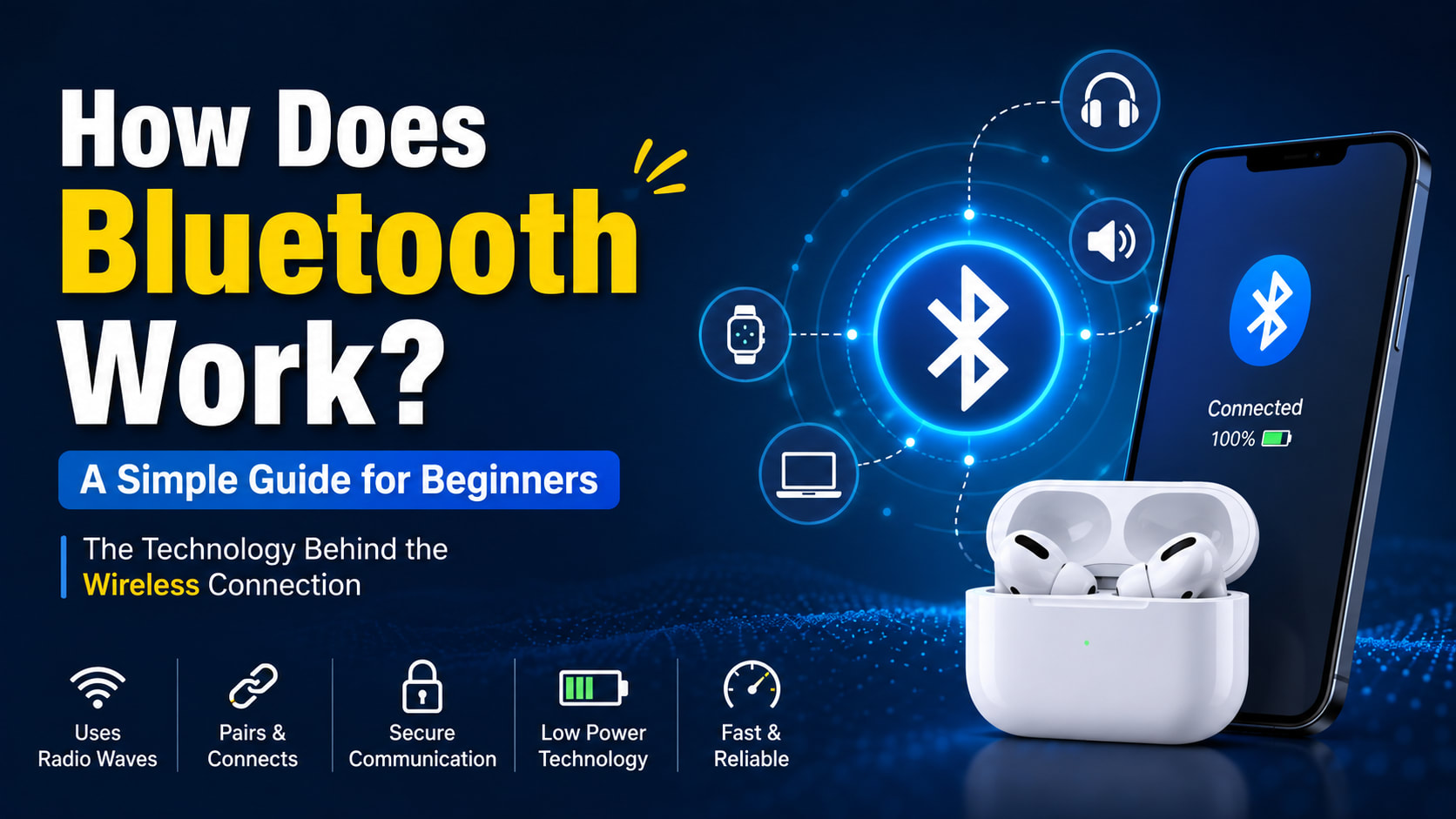
Have you ever connected your wireless earbuds to your phone and thought, "Wait, how is the sound reaching my ears without any wire?"
There is no cable between your phone and earbuds. There is no Wi-Fi router sitting between them. You simply turn on Bluetooth, tap the device name, and suddenly your music starts playing.
It almost feels like magic.
But behind that simple "Connected" message, your devices are doing quite a lot of work.
They are discovering each other, establishing a connection, exchanging information, managing radio signals, handling interference, and continuously sending data through the air.
So, how does Bluetooth work?
In simple terms, Bluetooth is a wireless communication technology that allows nearby devices to exchange data using radio waves.
But there's much more to it than that.
Let's understand the whole thing from the beginning.
What Is Bluetooth?
Bluetooth is a short-range wireless communication technology designed to let electronic devices communicate without physical cables.
You probably use Bluetooth more often than you realize.
For example, Bluetooth can connect:
📱 Smartphones
🎧 Wireless earbuds
🔊 Bluetooth speakers
⌨ Wireless keyboards
🖱 Wireless mice
🎮 Game controllers
⌚ Smartwatches
🚗 Car audio systems
🖨 Some printers and peripherals
🏠 Smart-home devices
The main idea is simple:
Bluetooth lets nearby devices communicate with each other wirelessly.
And importantly, Bluetooth doesn't require the internet.
For example, if you connect your phone to Bluetooth earbuds while you're on an airplane, your earbuds can still play locally stored music even when you don't have an internet connection.
That's because the phone and earbuds are communicating directly with each other.
How Does Bluetooth Work?
Let's start with the simplest possible explanation.
Bluetooth devices communicate using radio waves.
Imagine your phone wants to send music to your wireless earbuds.
The music exists as digital information inside your phone.
Your phone's Bluetooth hardware takes that information and transmits it wirelessly using radio signals.
The earbuds receive those signals, process the data, and turn it back into audio.
The simplified process looks like this:
Your Phone
    ↓
Digital Audio Data
    ↓
Bluetooth Hardware
    ↓
Radio Waves
    ↓
Bluetooth Hardware
    ↓
Your Earbuds
    ↓
Sound
Of course, real Bluetooth communication is much more complicated.
There are protocols, packets, channels, device discovery, authentication, encryption, error handling, and many other things happening behind the scenes.
But this basic diagram gives you the main idea.
Bluetooth Uses Radio Waves
This is probably the most important thing to understand.
Bluetooth doesn't send data through some invisible "Bluetooth signal" that is completely different from everything else.
It uses radio waves.
Bluetooth operates in the 2.4 GHz ISM (Industrial, Scientific and Medical) band.
Interestingly, Wi-Fi also uses the 2.4 GHz band.
That's why Bluetooth and Wi-Fi can sometimes interfere with each other.
But don't worry—Bluetooth has techniques designed to deal with interference.
We'll get to that in a moment.
Why radio waves?
Radio waves can travel through the air, allowing devices to communicate without a physical connection.
That's why you don't need to plug your wireless mouse into your laptop with a cable.
Your mouse can simply transmit its movements wirelessly.
For example, when you move your mouse:
Move Mouse
    ↓
Mouse detects movement
    ↓
Bluetooth converts information into data
    ↓
Radio signal is transmitted
    ↓
Laptop receives the data
    ↓
Cursor moves
This entire process happens extremely quickly.
Bluetooth Doesn't Just "Connect"
When you tap a Bluetooth device and see Connected, a lot has already happened.
Before two devices can properly communicate, they need to discover each other and establish a relationship.
This process is commonly known as pairing.
Let's see what happens.
Step 1: Bluetooth Device Becomes Available
Suppose you buy a new pair of wireless earbuds.
You open the charging case and put the earbuds into pairing mode.
The earbuds start advertising their presence.
In simple terms, they're basically saying:
"I'm here, and I'm available for a Bluetooth connection."
Your phone can then detect the earbuds.
Step 2: Your Phone Searches for Devices
Now you open:
Settings → Bluetooth
Your phone starts looking for nearby Bluetooth devices.
If your earbuds are available, their name appears on the screen.
For example:
Available Devices

AirPods
Jason's Earbuds
Bluetooth Speaker
Wireless Keyboard
You tap the earbuds.
Now the actual connection process begins.
Step 3: Pairing Happens
Pairing is the process where two Bluetooth devices establish the information needed to recognize and communicate with each other.
Depending on the devices and Bluetooth features being used, they may exchange information and perform authentication steps.
Once pairing succeeds, your phone can remember the earbuds.
That's why you usually don't need to go through the entire setup every time.
The next time you open your earbuds, your phone may automatically reconnect.
That's much more convenient than manually pairing them every time.
Step 4: The Devices Establish Communication
After the devices connect, they need to communicate using compatible Bluetooth protocols and capabilities.
The devices determine things such as:
What type of connection they're using
What services are available
What kind of data they can exchange
How that data should be handled
Which communication features are supported
For example, wireless earbuds need audio-related functionality.
A Bluetooth keyboard needs keyboard input functionality.
A fitness tracker might need to exchange sensor information.
So Bluetooth isn't simply one single type of communication.
It supports different profiles and services for different use cases.
What Are Bluetooth Profiles?
Here's where Bluetooth becomes a little more interesting.
Bluetooth devices can use different profiles that define how they communicate for particular purposes.
Think of a profile as a set of rules for a particular job.
For example:
Bluetooth Use | Typical Purpose |
|---|---|
Wireless headphones | Audio |
Keyboard | Keyboard input |
Mouse | Pointer/input data |
Fitness tracker | Sensor information |
Car system | Calls and audio |
File/data accessories | Data exchange |
The profile helps devices understand what kind of service they provide and how that service should work.
This is one reason your phone knows that one Bluetooth device is headphones while another is a keyboard.
How Does Bluetooth Transfer Data?
Bluetooth doesn't simply throw an entire file or stream of information through the air as one giant piece.
Data is handled in smaller units called packets.
Imagine you're sending a huge book to your friend.
Instead of putting the entire book into one enormous package, you divide it into smaller packages.
Something similar happens with digital communication.
A simplified representation might look like:
Large Data
   ↓
Packet 1
Packet 2
Packet 3
Packet 4
Packet 5
   ↓
Wireless Transmission
   ↓
Receiving Device
   ↓
Data Reconstructed
Each packet contains information that helps the receiving device understand what the data represents and how to process it.
Bluetooth's communication system also handles things such as timing, addressing, error detection, and retransmission mechanisms.
But There Are Hundreds of Bluetooth Devices Around Us!
Now let's think about something interesting.
Imagine you're sitting in a coffee shop.
There could be:
20 smartphones
10 pairs of earbuds
5 smartwatches
Several laptops
Wireless keyboards
Wireless mice
Bluetooth speakers
All of these devices may be using wireless communication.
So why doesn't everything get mixed together?
This is where one of Bluetooth's clever techniques comes in.
Bluetooth Frequency Hopping
Bluetooth can use a technique called frequency hopping to reduce the effects of interference.
Instead of continuously communicating on exactly one frequency channel, Bluetooth can rapidly move between different channels according to a coordinated hopping sequence.
Think of it like this.
Imagine you and your friend are trying to talk in a noisy building.
Instead of standing in one room where everyone is shouting, you both know which rooms to move through.
You communicate, move, communicate again, move again—and stay synchronized.
Bluetooth uses a much more sophisticated version of this idea.
This helps it operate in the crowded 2.4 GHz environment.
Bluetooth vs Wi-Fi: What's the Difference?
This is a very common question.
Both technologies use radio waves, and both can operate in the 2.4 GHz range.
So what's actually different?
The easiest way to remember it is:
Bluetooth is mainly designed for short-range device-to-device communication, while Wi-Fi is mainly designed for network connectivity.
Here's a simple comparison:
Feature | Bluetooth | Wi-Fi |
|---|---|---|
Main purpose | Connecting nearby devices | Connecting to networks |
Typical power use | Lower | Generally higher |
Common devices | Earbuds, watches, keyboards | Phones, laptops, TVs |
Internet required? | No | Often used for internet |
Range | Generally shorter | Generally longer |
Router required? | Usually no | Usually for home networks |
Best for | Peripherals and accessories | Networking and internet |
For example:
Bluetooth
Phone → Bluetooth → EarbudsWi-Fi
Laptop → Wi-Fi → Router → InternetThat's the basic difference.
Does Bluetooth Need the Internet?
No.
This is one of the easiest things to misunderstand.
Bluetooth is a local wireless communication technology.
Your devices can communicate directly without accessing the internet.
For example:
Phone
↕ Bluetooth ↕ Wireless Speaker
There is no router involved.
There doesn't even need to be an internet connection.
However, an app using Bluetooth might separately require internet access for other features.
For example, your smartwatch might use Bluetooth to communicate with your phone but use your phone's internet connection to synchronize data with an online service.
Those are two different things.
What Happens When You Play Music Through Bluetooth?
Let's take a real-world example.
You open Spotify or another music app and press Play.
Your phone has the audio data.
The phone processes the audio and prepares it for Bluetooth transmission.
Then the Bluetooth system sends the information wirelessly to your headphones.
Your headphones receive the transmitted data.
They process the audio and send it to their speaker hardware.
Finally, the speakers create vibrations in the air.
Your ears detect those vibrations as sound.
The simplified process looks like this:
Music App
    ↓
Audio Data
    ↓
Bluetooth Processing
    ↓
Wireless Radio Transmission
    ↓
Earbuds Receive Data
    ↓
Audio Processing
    ↓
Speaker
    ↓
Your Ears
And all of this happens continuously while the song is playing.
That's why your music doesn't sound like individual packets.
The receiving device processes the incoming data fast enough to produce continuous audio.
Why Doesn't Bluetooth Audio Sound Like Random Noise?
This is another interesting question.
After all, Bluetooth is transmitting digital data through radio waves.
So why don't we just hear noise?
Because the receiving device knows how to interpret the transmitted information.
The phone and earbuds use agreed-upon communication methods and audio codecs.
A codec is used to encode and decode audio data.
Different Bluetooth audio implementations can support different codecs.
The general idea is:
Original Audio
      ↓
Encoded
      ↓
Bluetooth Transmission
      ↓
Received Data
      ↓
Decoded
      ↓
Audio
So your earbuds aren't receiving raw sound waves from your phone.
They're receiving digital information that represents the sound.
Bluetooth Classic vs Bluetooth Low Energy
You may have heard the term Bluetooth Low Energy, or Bluetooth LE.
Bluetooth technology isn't just one single mode designed for everything.
Two major categories you'll encounter are:
Bluetooth Classic
Bluetooth Low Energy (Bluetooth LE)
They are designed with different use cases in mind.
Feature | Bluetooth Classic | Bluetooth LE |
|---|---|---|
Main focus | Continuous data/audio use cases | Low-power communication |
Power efficiency | Generally higher power | Designed for low power |
Common examples | Traditional wireless audio | Sensors, trackers, smart devices |
Communication style | Suitable for continuous connections | Excellent for small periodic data |
Battery-focused devices | Less ideal in some cases | Very useful |
Bluetooth LE is especially useful when devices need to operate for long periods using small batteries.
Imagine a temperature sensor.
It doesn't need to continuously stream a huge amount of information.
It might simply send:
Temperature: 27°C
Battery: 82%
Then wait.
This kind of use case is perfect for low-power wireless communication.
Why Is Bluetooth So Good for Battery-Powered Devices?
One of Bluetooth's biggest advantages is its ability to support relatively low-power communication.
Think about a fitness tracker.
You don't want to charge it every few hours just because it's communicating with your phone.
Instead, it can exchange relatively small amounts of information while consuming much less energy than technologies designed for heavier communication.
This makes Bluetooth useful for devices such as:
Fitness trackers
Sensors
Smartwatches
Wireless accessories
Smart-home devices
Beacons
Other battery-powered gadgets
How Far Can Bluetooth Reach?
You might hear people say:
"Bluetooth works up to 10 meters."
But that's not a universal rule.
Bluetooth range depends on several factors.
1. Transmit Power
A device with higher transmit power can potentially communicate over a greater distance.
2. Antenna
The antenna design affects wireless performance.
3. Obstacles
Walls, furniture, and other objects can weaken signals.
4. Interference
Other wireless devices operating nearby can affect performance.
5. Bluetooth Version and Device Class
Different Bluetooth devices and configurations support different ranges.
So two Bluetooth devices can have very different real-world performance.
A tiny wearable device and a larger powered accessory aren't necessarily going to behave the same way.
Why Does Bluetooth Sometimes Disconnect?
We've all experienced this.
You're listening to music and suddenly:
"Bluetooth disconnected."
😐
Why does this happen?
There isn't always one single reason.
Some common causes include:
Devices are too far apart
Physical obstacles are blocking or weakening the signal
Wireless interference is present
Battery is very low
The device has a software problem
Bluetooth services have temporarily malfunctioned
Compatibility issues exist
The device has too many active connections
Usually, basic troubleshooting can help.
Try these first:
Move the devices closer.
Turn Bluetooth off and on.
Disconnect and reconnect the device.
Restart the Bluetooth accessory.
Restart your phone or computer.
Forget the device and pair it again.
Check for software or firmware updates.
Most of the time, the problem isn't that Bluetooth has "stopped working forever."
It's usually a temporary communication or software issue.
Is Bluetooth Secure?
Yes, Bluetooth includes security features designed to protect communication.
During the pairing and connection process, devices can use authentication and encryption mechanisms.
Encryption helps prevent someone nearby from simply reading the communication as plain, understandable data.
However, security depends on more than just the Bluetooth technology.
Your device's operating system, firmware, pairing behavior, and software also matter.
That's why you should:
Keep your devices updated
Avoid accepting unknown pairing requests
Remove devices you no longer use
Be careful when connecting to unfamiliar accessories
Use trusted devices
Bluetooth is designed with security in mind, but no technology should be treated as magically immune to attacks.
Can Bluetooth Connect Multiple Devices?
Yes, Bluetooth can support communication involving multiple devices, although the exact behavior depends on the Bluetooth technology, roles, profiles, and implementation.
For example, your phone might communicate with:
             Phone
          /    |    \
         /     |     \
   Watch   Earbuds   Car
Modern Bluetooth technologies have become much more flexible than the simple one-device-to-one-device image many people have in mind.
Bluetooth LE, in particular, supports more advanced network and broadcasting scenarios.
What Is Bluetooth LE Audio?
Bluetooth technology has also evolved beyond traditional Bluetooth audio.
Bluetooth LE Audio is a newer audio technology built around Bluetooth LE.
It introduces capabilities designed to improve wireless audio and enable new types of experiences.
One particularly interesting feature is Auracast broadcast audio.
Instead of thinking only about:
Phone → One Pair of Earbudsbroadcast audio can enable scenarios more like:
Audio Source
     ↓
Bluetooth Broadcast
   ↙   ↓   ↘
Earbuds  Headphones  Hearing Devices
This opens up interesting possibilities for places such as airports, classrooms, theaters, public venues, and other shared listening environments.
Bluetooth Isn't Just for Earbuds
When people hear "Bluetooth," most immediately think about wireless headphones.
But Bluetooth is much bigger than that.
It can be used for:
Input devices
Keyboards
Mice
Game controllers
Wearables
Smartwatches
Fitness trackers
Smart devices
Sensors
Smart-home accessories
Location-related devices
Vehicles
Hands-free calling
Wireless audio
Device integration
Industrial applications
Sensors
Equipment monitoring
Asset tracking
So Bluetooth isn't really an "earbuds technology."
It's a general-purpose wireless communication technology with many different applications.
Bluetooth vs NFC
Bluetooth is sometimes confused with NFC because both are wireless technologies.
But they're designed for very different purposes.
Bluetooth | NFC |
|---|---|
Longer range | Extremely short range |
Higher data capability | Designed for very close-range communication |
Used for continuous connections | Often used for quick interactions |
Earbuds, keyboards, watches | Tap-to-pay, tags, quick pairing |
Can maintain a connection | Usually used at very close proximity |
For example, tapping your phone against an NFC terminal for a payment is very different from continuously streaming music to wireless headphones through Bluetooth.
A Simple Real-Life Example
Let's say John buys a new Bluetooth speaker.
Here's what happens.
1. John turns on the speaker
The Bluetooth hardware becomes active.
2. The speaker becomes discoverable
It can announce its availability.
3. John opens Bluetooth settings
His phone scans for nearby devices.
4. The speaker appears
John taps the speaker's name.
5. Pairing takes place
The phone and speaker establish the necessary relationship.
6. Connection is established
Now the devices can exchange the appropriate data.
7. John plays music
The phone processes the audio and transmits the required information wirelessly.
8. The speaker receives it
The speaker processes the received data.
9. The speaker produces sound
The digital information eventually becomes an electrical signal driving the speaker.
And John hears the music.
All of this happens without a physical cable between the phone and speaker.
The Entire Bluetooth Process in One Diagram
If you want to remember the whole concept, remember this:
                BLUETOOTH COMMUNICATION

       ┌─────────────────────┐
       │     Device A        │
       │      Phone          │
       └──────────┬──────────┘
                  │
                  │ 1. Discovery
                  ↓
          Find nearby device
                  │
                  │
                  │ 2. Pairing
                  ↓
        Establish relationship
                  │
                  │
                  │ 3. Connection
                  ↓
        Communication begins
                  │
                  │
                  │ 4. Data
                  ↓
          Data → Packets
                  │
                  │
                  │ 5. Radio
                  ↓
       Wireless transmission
                  │
                  ↓
       ┌─────────────────────┐
       │     Device B        │
       │      Earbuds        │
       └──────────┬──────────┘
                  │
                  ↓
            Process data
                  │
                  ↓
              Produce
              useful output
This is a simplified model, but it's a great way to understand the overall process.
Advantages of Bluetooth
Bluetooth became extremely popular because it solves a very practical problem: connecting devices without cables.
Some major advantages are:
🔌 No physical cable
You don't need to connect a wire between your phone and earbuds.
🔋 Low power options
Bluetooth LE is designed specifically for low-power applications.
📱 Works with many devices
Phones, computers, watches, speakers, cars, and accessories can communicate using Bluetooth.
🌐 Doesn't require internet
Devices can communicate locally without an internet connection.
💰 Relatively inexpensive
Bluetooth hardware can be integrated into many consumer devices.
🔄 Automatic reconnection
Previously paired devices can often reconnect automatically.
Limitations of Bluetooth
Bluetooth isn't perfect either.
It has some limitations:
Limitation | What it means |
|---|---|
Limited range | Devices generally need to stay relatively close |
Interference | Other wireless signals can affect performance |
Battery consumption | Bluetooth still consumes power |
Bandwidth | Not intended to replace high-speed networking |
Compatibility | Features can vary between devices |
Latency | Some applications can be sensitive to delay |
That's why you wouldn't normally use Bluetooth as a replacement for your home Wi-Fi network.
Each technology has a job it's better suited for.
Bluetooth in Simple Words
Let's bring everything together.
Bluetooth is basically a way for nearby electronic devices to talk to each other wirelessly.
It uses radio waves instead of cables.
When two devices connect, they discover each other, establish the necessary pairing and connection, and then exchange data using Bluetooth communication protocols.
The data travels through the air as wireless signals.
Bluetooth uses techniques such as frequency hopping to help deal with interference, while different profiles and technologies allow it to support different types of devices and applications.
And depending on the Bluetooth technology being used, it can support everything from a wireless mouse to a smartwatch sensor or modern wireless audio.
So the next time your phone connects to your earbuds in one second, remember what's happening underneath:
Your devices are basically having a very fast wireless conversation.
Frequently Asked Questions
1. Does Bluetooth use Wi-Fi?
No. Bluetooth and Wi-Fi are separate wireless technologies.
However, both can operate in the 2.4 GHz frequency band, so interference can sometimes occur.
2. Does Bluetooth need the internet?
No. Bluetooth devices can communicate directly without an internet connection.
3. Does Bluetooth use radio waves?
Yes. Bluetooth communicates using radio waves.
4. Why is Bluetooth called Bluetooth?
The name comes from Harald "Bluetooth", a 10th-century Danish king associated with uniting Denmark and parts of Norway. The name was chosen as a metaphor for bringing different technologies and companies together.
5. Can Bluetooth work through walls?
Bluetooth radio signals can pass through some obstacles, but walls and other objects can weaken the signal and reduce effective range.
6. Is Bluetooth safe?
Bluetooth includes security mechanisms such as authentication and encryption. However, users should still keep devices updated and avoid unexpected pairing requests.
7. Does Bluetooth work without a SIM card?
Yes. Bluetooth doesn't require a SIM card.
8. Does Bluetooth consume battery?
Yes, Bluetooth communication consumes power. However, Bluetooth LE is specifically designed for low-power applications.
9. Can Bluetooth connect multiple devices?
Yes, Bluetooth technologies can support multiple-device scenarios, although the exact capabilities depend on the Bluetooth technology and device implementation.
10. Is Bluetooth faster than Wi-Fi?
Generally, Bluetooth is not intended to compete with Wi-Fi for high-speed networking. Wi-Fi is designed for much heavier network data usage, while Bluetooth focuses on convenient short-range device communication.
Final Takeaway
So, how does Bluetooth work?
The easiest way to remember it is:
Bluetooth allows nearby devices to exchange digital data wirelessly using radio waves.
When you connect your phone to your earbuds, the devices first discover and connect to each other. They then communicate using Bluetooth protocols, exchange data in packets, and use appropriate profiles and technologies for the task.
Behind the scenes, Bluetooth handles things like:
Device discovery
Pairing
Authentication
Communication
Data packets
Frequency management
Error handling
Security
Power management
And it all happens incredibly quickly.
The next time you put on your wireless earbuds and your phone instantly connects, you can now appreciate what's actually happening.
There isn't any magic involved.
It's radio communication, networking, software, and some very clever engineering—all happening in the background.
Recommended Reading
If you're learning computer networking, don't stop at Bluetooth. Understanding Computer Networks will help you understand how devices communicate across everything from a tiny Bluetooth connection to the global internet.
For the official Bluetooth specifications and technology information, visit the Bluetooth SIG.
SEO note: Replace YOUR-INTERNAL-COMPUTER-NETWORKS-URL with your actual Computer Networks tutorial/category URL so the article gets a genuine internal link rather than a placeholder.