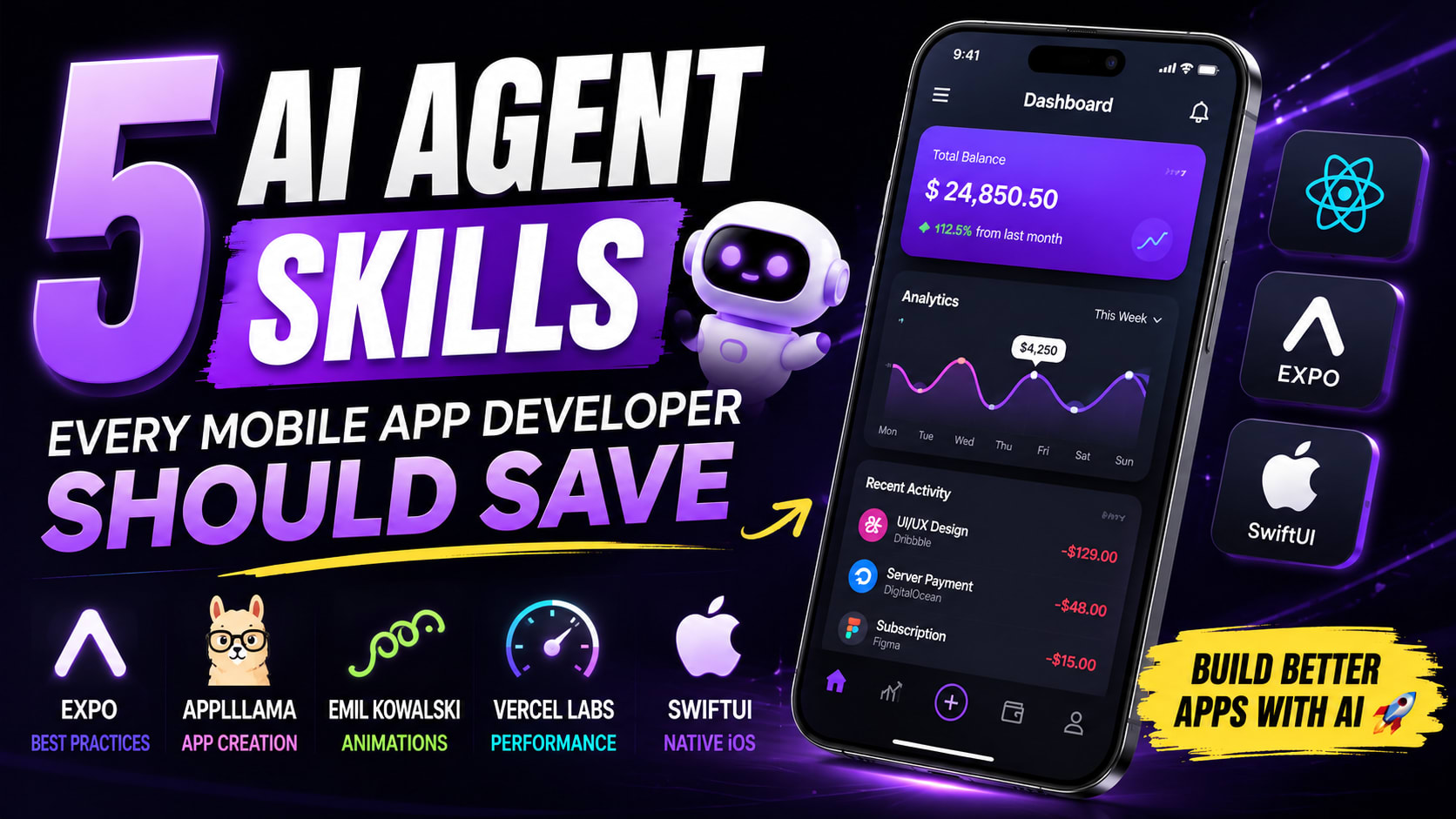
Building Apps With AI? Save These 5 Agent Skills
AI can build an app in minutes now. But here's the problem: AI can also build a terrible app in minutes.
You can get a screen that technically works. The buttons are there, navigation works, the API connects, and the app compiles. Yet something still feels wrong. The spacing is inconsistent, animations feel cheap, lists become sluggish, images load poorly, native interactions don't feel native, and after adding a few features, the architecture can start looking like a pile of AI-generated code.
The problem isn't necessarily the AI model.
The problem is that you're asking one general-purpose agent to be an Expo expert, mobile designer, animation specialist, performance engineer, and SwiftUI developer at the same time.
That's where AI agent skills become interesting.
Agent skills give coding agents specialized instructions and expertise for specific tasks. Instead of expecting an AI to magically know every best practice, you can give it a toolbox of skills that helps it make better decisions while building the application.
I went through five repositories that are particularly interesting for mobile developers. If you're using AI to build apps, these are worth bookmarking.
The 5 skills at a glance
Skill | Best for | What it brings to your agent |
|---|---|---|
Expo Skills | Expo & React Native | Framework knowledge, native UI, routing, data, EAS and deployment |
Appllama | Mobile UI & product design | App research, UI patterns and native-quality screen design |
Emil Kowalski's Skills | Animation & interaction | Better motion, gestures, transitions and UI decisions |
Vercel Agent Skills | React Native performance | Performance, architecture and platform-specific guidance |
SwiftUI Agent Skill | Native iOS | Modern SwiftUI, accessibility, performance and Apple design |
Now let's look at what makes each one interesting.
🚀 1. Expo Skills: Give Your AI Actual Expo Knowledge
If you're building with Expo or React Native, this is probably the first skill collection you should check.
Expo's official skills are structured instructions designed to help AI agents build, deploy, and debug Expo and React Native applications. The collection covers a surprisingly broad part of the Expo ecosystem, including routing, native UI, data fetching, design systems, animations, native modules, development builds, EAS, CI/CD, app-store deployment, upgrades, and more.
That matters because knowing React Native isn't necessarily the same as knowing how Expo wants you to solve a problem today. A general AI agent might invent a solution, reach for an unnecessary library, or use an outdated approach when an official Expo solution already exists.
One of the most useful parts is the expo-overview skill. Expo describes it as the entry point for Expo and EAS tasks, allowing the agent to route a request toward the appropriate specialized skill before it starts writing code.
The collection also gets very specific. For example, there are skills for native-feeling UI, Expo Router, data fetching, design systems, animations, and even using native SwiftUI on iOS and Jetpack Compose on Android through @expo/ui.
Why I would save it: If your project uses Expo, you're giving the agent access to framework-specific knowledge instead of making it guess.
Best for: Expo and React Native developers.
🎨 2. Appllama: Stop Building Generic AI UI
This one tackles a completely different problem.
AI-generated interfaces often look like AI-generated interfaces.
You know the look: rounded cards everywhere, enormous headings, random gradients, floating buttons, excessive glassmorphism, and a layout that technically works but doesn't feel like a real product.
Appllama is interesting because it approaches mobile development from a much more design- and research-oriented perspective.
Its repository describes the skills as a way to turn patterns from top-grossing mobile apps into native-quality screens. The appllama-usage skill focuses on research, while appllama-app-design-skill focuses on building native-feeling Expo and React Native screens.
The design skill specifically covers areas such as Apple HIG fidelity, semantic colors, native controls, Reanimated motion, perceived performance, generated assets, and simulator-based iteration.
That changes the workflow.
Instead of simply telling your agent:
"Make me a beautiful habit tracker."
You can have it approach the problem more like a product designer: study successful apps, understand their patterns, build the experience, run it in a simulator, compare the result, and iterate.
That's a much more interesting way to use AI.
And because the app-design skill is designed around Expo and React Native, it can fit naturally into cross-platform applications targeting iOS and Android.
Why I would save it: It addresses one of the biggest weaknesses of AI-generated apps: making something functional without making it feel genuinely designed.
Best for: Developers who care about mobile UI, product quality, and native-feeling experiences.
✨ 3. Emil Kowalski's Skills: Make Your App Feel Premium
Here's something AI still struggles with:
taste.
An AI can write an animation in seconds. The difficult part is deciding whether that animation should exist in the first place, which easing curve makes sense, how long it should last, and how it should interact with the rest of the interface.
Emil Kowalski's skills are built around exactly these kinds of decisions. The repository describes them as skills for designers and engineers who want to make better interface decisions faster, with a strong emphasis on animation and interaction quality.
The collection includes dedicated skills for creating animations, reviewing existing animations, improving animations, finding places where motion genuinely helps, and even describing animations more precisely so an AI can implement what you actually mean. There is also an animate-expo skill specifically aimed at React Native and Expo, covering gestures, sheets, haptics, screen transitions, and keeping motion off the JavaScript thread.
This is important because more animation does not automatically mean better animation.
A good interface might use a subtle spring when a sheet appears, a carefully timed transition when navigation changes, or a small piece of feedback when a button is pressed. The animation should communicate something or improve the interaction rather than simply exist because an AI was told to "make it cool."
The skill collection is essentially trying to give the agent a better sense of those tiny decisions that separate a polished interface from an average one.
Why I would save it: Small interaction details can make an otherwise ordinary application feel dramatically more polished.
Best for: Developers working on animations, gestures, transitions, and premium-feeling interfaces.
⚡ 4. Vercel Agent Skills: Don't Let AI Build a Slow App
Now let's talk about the problem that often appears after the app starts getting real: performance.
AI can generate thousands of lines of code incredibly quickly. Unfortunately, it can also generate thousands of lines of unnecessary work just as quickly.
Your prototype might feel perfectly fine with ten items in a list. Add 10,000 items, a few large images, network requests, animations, and multiple pieces of state, and suddenly the same application feels completely different.
Vercel's agent-skills repository includes a dedicated react-native-guidelines skill specifically optimized for AI agents working on React Native and Expo applications. It covers 16 rules across areas including performance, architecture, and platform-specific patterns.
The repository also contains broader React and web-focused skills, including React performance guidance covering waterfalls, bundle size, data fetching, re-renders, and rendering performance.
For a React Native developer, the important part is that performance doesn't have to be treated as a final cleanup step. Your agent can be given performance-oriented guidance while it is actually building the application.
Think about the difference:
Without performance guidance:
"Build this feed."
With performance guidance:
"Build this feed while following React Native performance patterns."
The second instruction gives the agent a much better set of constraints to work within.
A combination I particularly like
Goal | Skill |
|---|---|
Make the product look better | Appllama |
Follow Expo patterns | Expo Skills |
Improve interaction and motion | Emil Kowalski |
Keep React Native performant | Vercel |
That's a pretty powerful combination for an Expo project.
Why I would save it: Performance problems are much cheaper to prevent than to discover after your application becomes complicated.
Best for: React Native and Expo developers who care about performance and maintainable architecture.
🍎 5. SwiftUI Agent Skill: Give Your AI Native iOS Expertise
Not everyone is building with React Native.
If you're building a native iOS application with SwiftUI, this is the skill you should know about.
The SwiftUI Agent Skill, also called SwiftUI Pro, is designed to help AI coding assistants write smarter and more modern SwiftUI. It covers API usage, design, performance, accessibility, navigation, layout, animations, state management, VoiceOver, deprecated APIs, and other areas where AI-generated SwiftUI commonly goes wrong.
That's important because code that compiles isn't necessarily good SwiftUI.
An AI might use an outdated API, structure state poorly, overlook VoiceOver, or introduce a performance issue while still producing an application that launches successfully.
SwiftUI Pro is designed specifically to target those kinds of mistakes. The repository also says it works with Claude Code, Codex, Gemini, Cursor, and other tools that support the Agent Skills format.
There is another interesting detail here: the repository points developers toward related skills for SwiftData, Swift Concurrency, and Swift Testing, making it part of a broader ecosystem of specialized skills for Apple-platform development.
Why I would save it: If you're building native iOS apps with AI, framework-specific expertise is far more useful than generic Swift knowledge alone.
Best for: SwiftUI and native iOS developers.
🧠 Here's the Part Most Developers Miss
You don't have to pick just one.
That's actually where the concept becomes much more interesting.
Imagine you're building a new habit-tracking app with Expo. You could use Appllama to research successful apps and improve the product experience, Expo Skills to handle framework-specific implementation, Emil Kowalski's Skills to refine animations and interactions, and Vercel's React Native guidelines to keep the implementation performant.
Now your AI agent isn't simply generating code.
It's getting different kinds of expertise for different parts of the job.
That's a much better mental model for AI-assisted development.
🔥 The AI Coding Workflow Is Changing
A lot of developers still use AI like this:
"Build me a habit tracker."
Then they spend the next few hours fixing the navigation, redesigning the screens, removing unnecessary dependencies, fixing animations, optimizing lists, and explaining to the AI why the interface shouldn't look like a generic dashboard.
There's a better approach.
Stage | What the agent should think about |
|---|---|
Research | What patterns already work? |
Design | How should the product actually feel? |
Build | What framework-native approach should be used? |
Animate | Where does motion improve the experience? |
Optimize | What could become slow or expensive? |
Test | Does the experience actually work on a device? |
Ship | Is the app ready for the store? |
The interesting thing is that agent skills can provide specialized knowledge across those stages.
That is a much bigger idea than simply asking an AI to write code.
🚀 Your AI Agent Needs a Toolbox, Not Just a Prompt
This is probably the biggest takeaway from these repositories.
We're used to comparing AI models by asking which one is smarter, faster, or better at coding. But as coding agents become more capable, another question becomes increasingly important:
What expertise have you given the agent?
A general-purpose model might know what a SwiftUI NavigationStack is. That doesn't mean it knows how you should structure your entire navigation experience.
It might know how to create an animation. That doesn't mean it knows whether the animation should exist.
It might know React Native. That doesn't mean it knows the performance implications of the implementation it just generated.
And it might know how to create a beautiful screen. That doesn't mean it understands what makes a successful mobile product feel coherent.
That's where specialized AI agent skills become valuable.
📱 My Recommended Mobile AI Stack
If you're building with Expo / React Native, I'd start with these four:
Expo Skills for framework and ecosystem knowledge.
Appllama for mobile product research and UI quality.
Emil Kowalski's Skills for animation and interaction design.
Vercel Agent Skills for React Native performance and architecture.
If you're building a native SwiftUI application, add SwiftUI Pro to your toolbox and explore the related Swift and Apple-platform skills as your project grows.
You don't necessarily need all five installed in every project. The better approach is to choose skills based on the technology and problems you're actually working on.
📌 Save These Before You Forget
Here are the five repositories again:
Skill | Repository | Best use |
|---|---|---|
Expo Skills | Expo & React Native | |
Appllama | Mobile UI & product design | |
Emil Kowalski | Animation & interaction | |
Vercel Agent Skills | Performance & engineering | |
SwiftUI Agent Skill | Native iOS / SwiftUI |
Before installing any third-party skill, take a moment to read the repository and understand what you're giving your agent access to. Agent skills are instructions that influence how your coding agent behaves, so trust and source quality still matter.
The Bottom Line
AI can already generate an app.
The next advantage isn't simply getting AI to write more code. It's getting AI to make better decisions.
That's why these skills are worth watching. They give your coding agent specialized knowledge about the things that actually determine whether an app feels professional: framework conventions, product design, motion, performance, accessibility, and platform-specific development.
So the next time you start a mobile project, don't just ask:
"Which AI should I use?"
Ask:
"What should my AI know before it starts building?"
That's where agent skills get really interesting.
Save these five. Your future app will thank you.