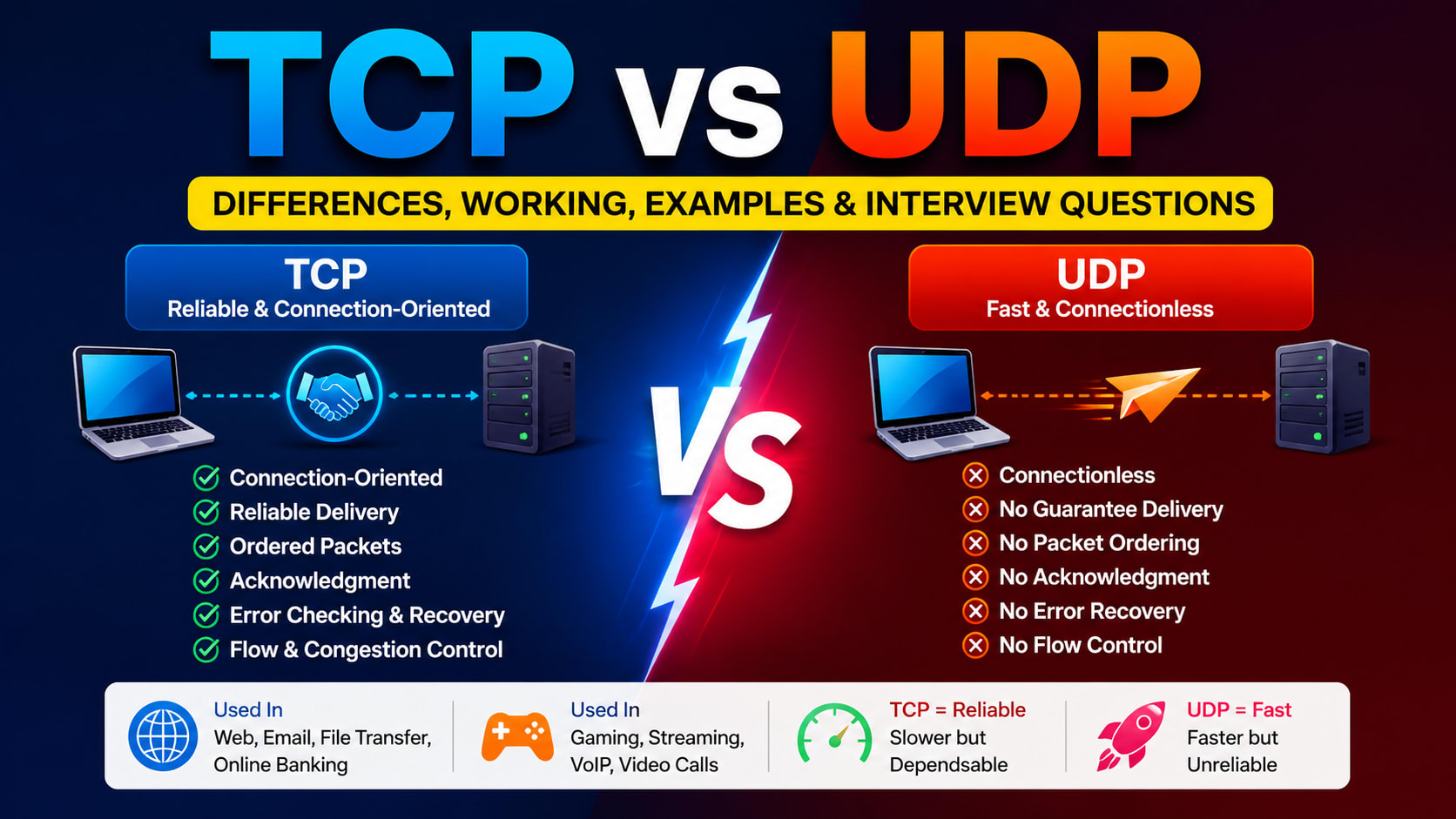
TCP vs UDP: What's the Difference? A Complete Beginner-Friendly Guide
Have you ever wondered how a message sent from your phone reaches your friend's phone within seconds? Or how a webpage loads almost instantly when you type its address into a browser? Maybe you've played an online multiplayer game where every movement happens in real time or watched a live cricket match without downloading the entire video first. Although these applications seem completely different, they all rely on the internet to transfer data from one device to another.
But here's something interesting—not every application transfers data in the same way.
Imagine you're sending an important legal document to someone. You would probably choose a courier service that tracks the package, confirms delivery, and sends it again if it gets lost. Now imagine you're announcing the score of a football match over a loudspeaker. You wouldn't stop the announcement just because one person didn't hear a sentence. You would simply continue speaking.
Computer networks work in a very similar way.
Some applications care more about reliability, where every single piece of data must arrive correctly. Others care more about speed, where it's better to lose a tiny bit of data than to wait for it to arrive.
To handle these different situations, the Transport Layer of the Internet Protocol Suite provides two protocols:
TCP (Transmission Control Protocol)
UDP (User Datagram Protocol)
Although both are responsible for transporting data between devices, they solve the problem in completely different ways. Understanding their differences is one of the most important topics in Computer Networks and is frequently asked in technical interviews, placement exams, and competitive exams.
Let's start from the beginning.
What is a Protocol?
Before learning TCP and UDP, it's important to understand what a protocol actually is.
Imagine two people trying to communicate. If both of them speak the same language and follow the same rules of conversation, communication becomes easy. One person speaks, the other listens, both understand the message, and the conversation continues smoothly.
Now imagine one person speaks English while the other understands only Japanese. Even though both are trying to communicate, the conversation quickly becomes confusing because they don't share a common language or set of rules.
Computers face the same challenge.
Every second, billions of devices communicate across the internet. Some devices are Windows computers, others are MacBooks, Android phones, iPhones, Linux servers, smart TVs, gaming consoles, or IoT devices. These devices are built by different manufacturers and run different operating systems, yet they communicate perfectly.
How?
Because they all follow the same communication rules.
These rules are called protocols.
A protocol defines things such as:
How communication starts
How data is divided into smaller pieces
How the receiver identifies the sender
How errors are detected
What happens if data is lost
How communication ends
In simple words:
A protocol is a set of rules that allows two or more devices to communicate with each other.
Without protocols, the internet simply wouldn't work.
Where Do TCP and UDP Fit?
When data travels across the internet, it doesn't move randomly from one computer to another. Instead, it passes through different layers, where each layer performs a specific job.
The Transport Layer is responsible for transferring data between applications running on different devices.
For example:
Your browser communicates with a web server.
WhatsApp communicates with another user's phone.
An online game communicates with its game server.
The Transport Layer ensures that data reaches the correct application.
To perform this task, it mainly uses two protocols:
TCP
UDP
Both protocols have the same goal—transporting data—but they achieve it differently.
Why Do We Need Two Different Protocols?
At first glance, you might wonder why the internet doesn't use just one protocol for everything.
The answer lies in the different requirements of applications.
Consider these two situations.
Situation 1: Downloading a PDF
Suppose you're downloading your semester marksheet.
Would you accept a file with missing pages?
Of course not.
If even one page is missing or corrupted, the document becomes useless.
In this case, accuracy is more important than speed.
Situation 2: Watching a Live Football Match
Now imagine you're watching a live football match.
If one video frame is lost, would you rather wait three seconds for that frame to arrive or continue watching the match smoothly?
Most people would choose the second option.
Missing one frame isn't a big problem.
Pausing the entire match would be far more annoying.
Here, speed is more important than perfect accuracy.
This is exactly why both TCP and UDP exist.
What is TCP?
TCP stands for Transmission Control Protocol.
It is a connection-oriented protocol that provides reliable communication between two devices.
Before any actual data is transmitted, TCP establishes a connection between the sender and the receiver. After the connection is established, it carefully tracks every packet being sent. If a packet is lost, damaged, or received out of order, TCP detects the problem and corrects it automatically.
This makes TCP highly reliable.
However, all these additional checks take time, making TCP slower than UDP.
What is UDP?
UDP stands for User Datagram Protocol.
Unlike TCP, UDP is a connectionless protocol.
It does not establish a connection before sending data.
It simply sends packets toward the destination without checking whether they arrive successfully.
If a packet gets lost, UDP does not retransmit it.
This makes UDP extremely fast because there is very little overhead.
The responsibility for handling lost data, if necessary, is left to the application itself.
Visualizing the Difference
Imagine sending five packets from one computer to another.
With TCP, if Packet 3 is lost, the receiver informs the sender that Packet 3 is missing. The sender retransmits that packet before continuing, ensuring that all packets arrive correctly and in order.
With UDP, if Packet 3 is lost, the sender simply continues sending Packets 4 and 5. No retransmission occurs, and the receiver processes whatever packets it receives.
This difference explains why TCP is considered reliable while UDP is optimized for speed and low latency.
TCP vs UDP Comparison
Feature | TCP | UDP |
|---|---|---|
Full Form | Transmission Control Protocol | User Datagram Protocol |
Connection Type | Connection-Oriented | Connectionless |
Reliability | High | Low |
Speed | Slower | Faster |
Packet Ordering | Guaranteed | Not Guaranteed |
Packet Loss Recovery | Yes | No |
Acknowledgment | Required | Not Required |
Retransmission | Yes | No |
Flow Control | Yes | No |
Congestion Control | Yes | No |
Header Size | Minimum 20 Bytes | 8 Bytes |
Best For | Reliable Communication | Real-Time Communication |
What Does "Connection-Oriented" Mean?
One of the most common interview questions is:
What is a connection-oriented protocol?
Think about making a phone call.
Before you start talking, you first dial the number. The other person answers. Both of you know the call has been connected, and only then does the conversation begin.
TCP behaves in exactly the same way.
Before sending data, TCP establishes a connection between the sender and the receiver. Only after both devices confirm that they are ready does data transfer begin.
This process is called the Three-Way Handshake, which we'll cover later.
What Does "Connectionless" Mean?
Now imagine announcing something using a loudspeaker.
You don't first ask everyone whether they're ready to listen.
You simply start speaking.
Some people hear the announcement.
Some don't.
You continue anyway.
UDP works exactly like this.
It sends data immediately without creating a dedicated connection.
Why is TCP Reliable?
TCP provides reliability through several mechanisms:
Sequence Numbers
Acknowledgments (ACK)
Retransmission
Error Detection
Flow Control
Congestion Control
Together, these mechanisms ensure that data arrives correctly, completely, and in the correct order.
This reliability makes TCP suitable for applications where losing even a small amount of data is unacceptable.
Examples include:
Website loading
Email
Online banking
File downloads
Software updates
Cloud storage
Database communication
Why is UDP Faster?
UDP avoids almost all the extra work that TCP performs.
It does not:
Establish a connection
Wait for acknowledgments
Retransmit lost packets
Maintain packet order
Perform flow control
Perform congestion control
Since there is much less processing involved, packets reach the destination much faster.
This makes UDP ideal for applications where low latency is more important than perfect reliability.
Examples include:
Online gaming
Live streaming
Video conferencing
Voice calls
DNS lookups
IPTV
Real-World Examples
Application | Protocol Used | Reason |
|---|---|---|
Google Search | TCP | Every webpage file must arrive correctly. |
Gmail | TCP | Emails cannot lose information. |
FTP | TCP | Files must remain complete. |
Software Downloads | TCP | Missing bytes would corrupt the file. |
PUBG | UDP | Fast movement updates matter more than perfect delivery. |
Valorant | UDP | Low latency gameplay. |
WhatsApp Voice Call | UDP | Delays are more noticeable than small packet losses. |
Zoom Meeting | UDP | Real-time communication requires speed. |
DNS | Usually UDP | Quick request-response communication. |
Advantages of TCP
Reliable communication
Ordered packet delivery
Error checking
Lost packet recovery
Flow control
Congestion control
Disadvantages
Slower than UDP
Higher overhead
Larger header size
More bandwidth consumption
Advantages of UDP
Extremely fast
Low latency
Smaller header
Low overhead
Efficient for real-time applications
Disadvantages
No guarantee of delivery
Packets may arrive out of order
No retransmission
No built-in flow control
Interview Questions
1. What is TCP?
TCP is a reliable, connection-oriented transport layer protocol that guarantees ordered and error-free delivery of data.
2. What is UDP?
UDP is a connectionless transport layer protocol that prioritizes speed over reliability.
3. Which protocol is faster?
UDP is faster because it does not establish a connection or retransmit lost packets.
4. Which protocol is more reliable?
TCP.
5. Which protocol is used by HTTP and HTTPS?
TCP.
6. Which protocol is generally used for DNS?
UDP.
7. Which protocol is preferred for online gaming?
UDP because low latency is more important than guaranteed delivery.
8. Why is TCP slower?
Because it performs acknowledgments, retransmissions, packet ordering, flow control, and congestion control.
9. Can UDP lose packets?
Yes.
UDP provides no guarantee that packets will reach their destination.
10. Which layer of the TCP/IP model contains TCP and UDP?
The Transport Layer.
Quick Revision
✔ TCP stands for Transmission Control Protocol.
✔ UDP stands for User Datagram Protocol.
✔ Both belong to the Transport Layer.
✔ TCP is connection-oriented.
✔ UDP is connectionless.
✔ TCP guarantees delivery.
✔ UDP does not guarantee delivery.
✔ TCP uses acknowledgments.
✔ UDP does not use acknowledgments.
✔ TCP retransmits lost packets.
✔ UDP never retransmits lost packets.
✔ TCP is slower but reliable.
✔ UDP is faster but unreliable.
Memory Trick
Remember these two simple analogies:
TCP = Courier Service
Every package is tracked, confirmed, and delivered correctly. If something is lost, it is sent again.
UDP = Radio Broadcast
The broadcaster keeps transmitting. If you miss a few seconds of audio, the broadcast doesn't stop or repeat.
Whenever you're confused in an interview, think of these two examples—they immediately explain why TCP focuses on reliability while UDP focuses on speed.
Key Takeaways
TCP and UDP are transport layer protocols used for communication between devices.
TCP prioritizes reliability, making it suitable for applications like web browsing, emails, and file transfers.
UDP prioritizes speed and low latency, making it ideal for online gaming, live streaming, and voice/video communication.
Choosing between TCP and UDP depends entirely on the application's requirements. If every byte of data is important, TCP is the better choice. If real-time performance matters more than occasional packet loss, UDP is usually the preferred protocol.